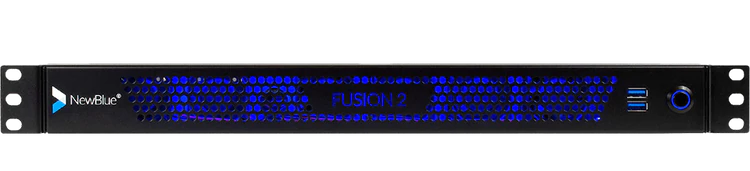
| Content | Your turnkey broadcast graphics system.
Fusion 2 combines processing power with Titler Live Broadcast for an affordable, end-to-end graphics solution.
Press power and go.
Fusion 2 delivers your on-air graphics combining hardware and software in one dynamic device. Power your broadcast with a sophisticated combination of ultra portable hardware and Titler Live Broadcast software designed for broadcasters and a variety of enterprise markets. Go from unbox to broadcast in the same day.
Get up and running in three easy steps.
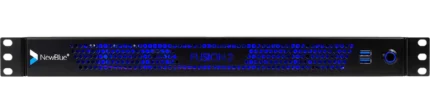
Experience end-to-end graphics in a short-depth 1U rackmount chassis running Windows 10.
Design.
Create graphics using the Title Designer. Import your After Effects projects, Photoshop files, or choose from our prebuilt templates.
Connect.
Integrate multiple input and output sources for ultimate control. Fusion 2's flexibility makes each live setup work for you.
Go live.
With minimal prep work and just a few clicks, press power and go live. Let Fusion 2 and Titler Live Broadcast do the rest for you.
Fusion 2 features Titler Live 4 Broadcast.
Now you can deliver unlimited layers of live animated graphics for all your broadcasting needs with Titler Live 4 Broadcast—directly in Fusion 2. Titler Live 4 Broadcast allows you to integrate your data in real-time and create high quality graphics on-the-fly.
Amp up your production value with a proven powerhouse.
Whether you want full customization or turnkey graphics on the fly, Titler Live 4 Broadcast ($2,999 value) brings high production value to your broadcast in minutes. We've loaded it with everything you need to look good, fast.
Customize hundreds of designs with the Title Designer.
With Fusion 2 preloaded with Titler Live 4 Broadcast, you can create custom motion graphics easily using its built-in Title Designer. Titler Live 4 Broadcast comes loaded with a full motion editor, hundreds of built-in templates, and can even import your existing graphics and Adobe assets. You can quickly grow your library of designs with our ever-expanding collection of Title Design Template collections.
Display your spreadsheet data in real-time.
Import your data from Excel spreadsheets and tables, XML files, CSV files, text files, and more. Using Titler Live 4 Broadcast, you can host all your data in a single file, display data rich infographics such as leaderboards and create instant lower thirds.
Access social media controllers and custom social templates.
Engage your audience with live comments, tweets, and Facebook reaction polling and queue them all in a custom social playlist. Remotely bring in comments curated from any machine in your local network. Titler Live 4 Broadcast also includes custom-designed social media graphics for a professional look in minutes.
Incorporate scoreboards and statistics.
Drive scoreboard data with realtime reading of JSON and XML files. Bring in scoreboard data from Daktronics, Stat Crew, or Sportzcast. You can also control your scoreboard directly from Titler Live's interface.
Simplify updates and changes in an instant.
Titler Live 4 Broadcast simplifies the traditionally labor-intensive process of creating motion graphics. Now, you can make last minute design or spelling changes, major or minor, with a few keystrokes. Ditch long rendering times and locked up content. With Titler Live 4 Broadcast, you can edit faster with extreme flexibility.
Fusion 2 Extreme
Get the top-of-the-line extreme version of Fusion with priority support and an additional 20 hours of professional service blocks.
- Everything included in Fusion 2 SDI.
- 20 hours of professional services including technical, creative or workflow consultation and engineering.
- Two year manufacturer's warranty.
- Blackmagic DeckLink 8K Pro for high resolution 8K workflows.
- Faster processor (AMD Ryzen 5 PRO 4650G 3.7 GHz).
- More memory (32 GB RAM).
Big or small—every studio needs Fusion 2.
Works in your existing broadcast architecture.
Seamlessly connect to your current broadcast ecosystem with a short-depth, 1U rackmount chassis perfect for shelf mounting in tight spaces such as broadcast trucks, mobile racks and fly away kits.
Drives your graphics with versatility.
Bring your production up to speed into the digital era with the multiple channels and bandwidth you'll need.
Includes onboarding with tailored training & support.
Experience full technical support, custom product onboarding and training to power up and go live.
Control
- Real-time playout
- Live animated updates per layer
- Automated sequencing & looping
- Spreadsheet and crawl autoplay mode
- Hotkey functionality
- Data search & select tool
- TriCaster macro control
- Remote operation on your network
- Network tally support
Outputs
- 16 channels of 4K-NDI
- Dual-channel HD-SDI key/fill (Blackmagic and AJA)
- Unlimited graphics per channel
- Unlimited graphics per playlist
- PNG sequence support
- HDMI
- OBS
- Watch Folder
- NewTek Airsend
- Normal-map-textured materials
- Depth-of-field control
- Blending modes
- Additive blend mode
- Object locking
Inputs
- Excel spreadsheets
- Spreadsheet table support
- XML files
- Stat Crew statistics - football
- Stat Crew® scoreboards
- Daktronics® scoreboards
- Sportzcast scoreboards
- Facebook Live comments
- Facebook Live comment polling
- Facebook Live reaction polling
- Twitter tweets
- YouTube Live chats
- GameWisp
- Stream Labels
- Streamlabs
- Tiltify
- Twitch
- Text files
- RSS feeds
- CSV spreadsheets
Design
- 3D animated graphics
- Animations, effects & transitions
- Native 4K resolution (NDI & SDI only) (Native 8K resolution for Extreme only)
- Adobe® After Effects® import
- Adobe® Photoshop® import
- Title Designer interface
- Sports & scoreboard packages
- Social media & polling packages
- Tables
- Lower thirds
- Crawls
- Main titles
- Motion bugs
Operating System
- Microsoft Windows 10 Pro 64-bit
Graphics Software
Hardware
- Processor - 6-Core AMD Ryzen™ 5
- Memory - 32GB DDR4 3200 MHz RAM
- Graphics - AMD Radeon™ 1900MHz, 7 graphics cores
- Storage - 500GB M.2NVMe SSD
- Video I/O - 2 4K-SDI Key/Fill Pairs
- Blackmagic DeckLink 8K Pro
Front Ports
Rear Ports
- 5 SDI Connectors - 4 video, 1 genlock (supports 2 key & fill pairs)
- 1 RJ-45 Network
- 4 USB 3.2 Gen 1
- 2 USB 2.0
- 2 HDMI
- 1 Display Port
- 3 Audio Jacks (Line In, Line Out, Mic In)
- 2 SMA WiFi Antenna Connectors
- BIOS flash button
- Power Supply - 300Watt max
Dimensions
- 1.75″ H x 16.77″ W x 10.5″ D
(1U rack height)
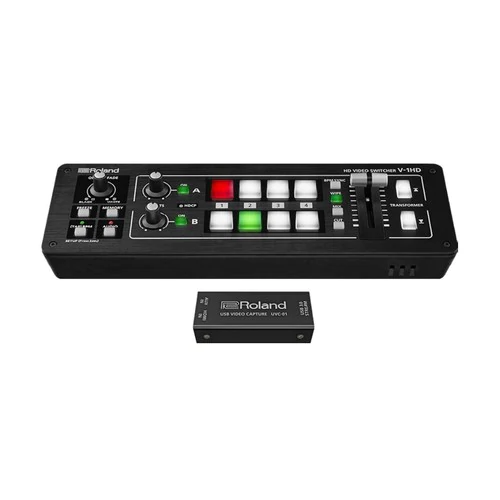
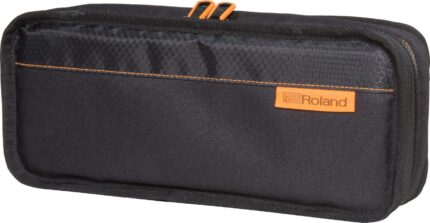
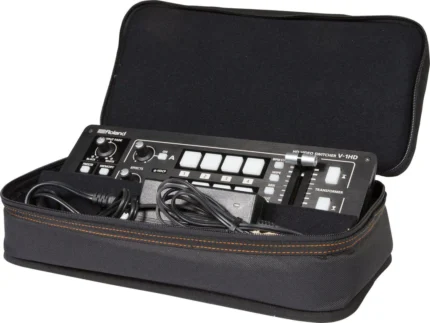
| So compact and portable, you can bring the V-1HD and use it anywhere!
The V-1HD is a compact and portable four channel video switcher with both hardware and connected PC / iPad control that supports four HDMI inputs at resolutions of up to 1080p along with a 12 channel audio mixer with audio embedding and de-embedding from HDMI. The V-1HD supports professional compositing effects such as picture-in-picture and keying allowing for graphic insets, titling or even “green screen” and is ideal for news broadcast or corporate training productions. For creative live event video switching, the V-1HD includes a advanced video effects for transforming video into creative visuals to support all kinds of performances.
Features:
- Support for video cameras, action cameras, smart phones, tablet computers and other HDMI devices
- 4 HDMI inputs
- Supports up to Full HD 1080p
- Easy to Use Interface
- Picture-in-picture and split functions
- Two EFFECTS knobs deliver genuine visual performance
- Full 12 Channel Audio Mixer Included
- Easy to Operate with Hardware Controls
- Two HDMI Outputs
- Remote Control via USB or MIDI Connection
Feature packed and easy to use for high-quality HD video results.
For creative live event video switching, the V-1HD includes a advanced video effects for transforming video into creative visuals to support all kinds of performances. Output of your video mix is as simple as connecting the HDMI output to a projector or screen at an event and you can even connect a recorder for capturing your event or production.
4 HDMI Inputs
The V-1HD has 4 HDMI input connectors compatible with a variety of equipment. The V-1HD supports 1080p/1080i/720p video resolutions. Devices outputting the same resolution can be input regardless of what type of device they are. Both progressive and interlace signals can be input allowing for both 1080i and 1080p signals to be used at the same time. Video signals input from a PC are accurately displayed thanks to progressive signal processing. HDCP is supported for input of copy protected content from devices such as Blu-ray disc players.
Professional Switching
The V-1HD has large back-lit buttons for intuitive video switching even in low light conditions. Red lit buttons indicate the current source being output and green lit buttons indicate the video that will be output on the next transition. The V-1HD even lets you know which inputs have sources connected by illuminating the buttons of the inputs with connected sources. The V-1HD features broadcast style Preview/Program switching for professional results. The TRANSFORMER buttons can be used for instantly switching the video or applying effects. Three transition selection buttons permit quick change of mixing style to match style changes in a performance or broadcast. Transition effects include CUT, MIX (4 types) and WIPE (30 types). The auto scan function switches the video automatically across the four video inputs. By using the T-Fader and BPM SYNC button, you can deliver visuals synced to a music performance. Use the FREEZE button to temporarily pause the incoming video. The output fade function makes the output video fade to black or white.
Effects
Compositing Effects. Compositing two videos in one screen using Picture in Picture or the split function is ideal for seminars and presentations. The V-1HD also supports chroma key and luminance key which ideal for creating professional looking broadcasts using green screen backgrounds or for overlaying computer generated titles on top of video sources. Many of the visual performance functions made popular by the V-4EX and V-8 are included. Use the knob A and knob B to apply and adjust effects to the A bus and B bus respectively. Nine types of filter effects including silhouette, colorpass, negative and findedge are possible. Effects can also be triggered using the TRANSFORMER buttons for even more interactive visual performance possibilities.
Audio Mixing
Included is a 12 channel digital audio mixer. The V-1HD can mix 4 stereo audio inputs from the HDMI ports, the stereo line level input and a mic level input. Every channel is equipped with a delay function* to synchronize the video and the audio. Audio follow function enables the audio to transition along with the video. Reverb function and mastering function used for adjusting sound quality and volume are also supported. The final audio mix is both embedded in the HDMI output along with the video signal and is also output to the stereo audio output jacks for sending the audio mix to a PA system or recording it on an external device. *The maximum delay time is 500ms.
Menu and Settings
The on-screen menu display appears on the preview screen and is easy to operate with hardware controls. Making adjustments to parameters and operating the audio mixer can be made by simple operation of the buttons and the T-Fader on the unit.
Preview Output
The four-way multi-view preview screen shows all four input sources on a single display for confident monitoring. A red border shows the video currently being output and a green one indicates the video to be output next. There are three types of view modes available for the preview output which are Multi-view, Output (as a secondary program output) and Preview. The on-screen display can be turned on or off.
Remote Control via USB or MIDI Connection
Remote control is possible with the dedicated V-1HD RCS application on a PC, Mac or an iPad connected via a USB cable. The application offers a detailed view of the connected V-1HD and can be used to switch video, mix audio or change settings. You can control the unit from a music instrument or a sequencer via the MIDI input connector via MIDI. The V-1HD also transmits MIDI over USB and its controls can be mapped to popular visual performance software applications. *For more information on the dedicated application, see the Roland website. * Please use the iPad camera connection kit to connect an iPad to the V-1HD.
Easy to Operate with Hardware Controls
Basic operations can be done by operating the buttons and the T-Fader on the unit. To make detailed settings you just need to connect a monitor to the preview connector.
| Welcome to Wireless Livestreaming
Break free from the complicated setup and tangle of cables typically needed to connect cameras, computers, and switchers for multi-camera livestreaming. With just an iPad and a few mobile phones, the revolutionary Roland AeroCaster system will have you wirelessly switching and streaming on your favorite platform in minutes.
AeroCaster makes it easy and affordable for anyone to create a wireless multi-camera setup with pro-level production quality. Leveraging the A/V power of the mobile devices that everyone carries, our breakthrough system opens up a new world of creative possibilities for any livestreaming application, from online talk shows and music performances to live commerce, remote education, and beyond.
- Powerful wireless production solution with hardware control surface/audio interface and full-featured iPad app
- Switch up to four wireless devices simultaneously, plus the camera on the host iPad
- Supports wireless camera connections from up to four supported iOS and Android smartphones and tablets
- Wirelessly share screens from computers and mobile devices via the Google Chrome web browser
- Switch between cameras, media, and scenes with a variety of transition effects
- Save and recall 30 scenes with titles, graphics, and picture-in-picture windows
- Media pool for integrating video, audio, photos, and graphics stored on your iPad
- Stream directly to YouTube, Facebook Live, Twitch, and custom RTMP channels over Wi-Fi or 4G/5G cellular networks
- Intuitive hardware control surface and audio interface with two XLR inputs, 3.5 mm stereo input, and headphones and monitor outputs
The Swiftest, Simplest Switcher Setup
AeroCaster is a super-powerful A/V switching system that’s incredibly versatile and easy to configure. In almost no time, you’ll be streaming multiple cameras and high-quality audio to YouTube, Facebook, Twitch, and custom RTMP channels over a Wi-Fi or 4G/5G cellular network.
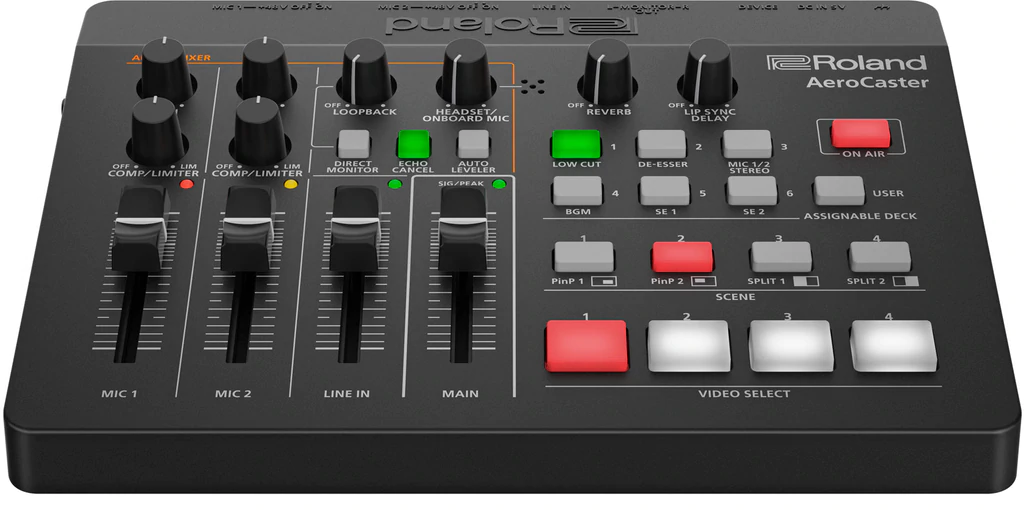
The AeroCaster system consists of the AeroCaster LIVE app for iPad, the AeroCaster VRC-01 hardware control surface and audio interface, and the AeroCaster Camera app for iOS and Android mobile devices. BYOD screen sharing from computers and mobile devices is also supported.
Connect with Your Favorite Streaming Platform
AeroCaster provides an easy wireless connection to the leading streaming platforms. And your purchase of the system gives you full access to all AeroCaster features, with no subscription fee required.
Capture Video from Five Sources
In addition to remote video capture from four mobile devices, you can access a fifth live video source using the camera on the iPad.
One-touch Changes with Scenes
Create up to 30 scene presets with text overlays, graphics (including transparent PNG files), picture-in-picture windows, or split-screen views.
Pro Video Effects Made Easy
Use cuts, cross-dissolves, and wipes for smooth, real-time transitions.
Access iPad Media Content
Create titles and play video clips, photos, and graphics from your iPad’s image library.
The Camera You Need Is in Your Pocket
You don’t always need expensive DSLRs and camcorders for everyday video productions. With the AeroCaster system, you can take full advantage of the amazing cameras in the latest phones and use them as high-quality inputs for your livestream.
Easy Video Capture with Wireless Freedom
With all-wireless connectivity, you can use readily available stationary mounts to put the phones in places where it’s difficult to use a traditional camera. And with affordable gimbal mounts, you’re able to capture stabilized mobile shots from as far as your wireless network will reach.
Fine-Tune All Your Cameras from One Place
Once mobile devices are connected to AeroCaster LIVE, you have remote access to all their advanced camera settings from within the app. Balance and match the image between different phone cameras and control settings like focus, zoom, exposure, white balance, and more.
Wireless Screen Sharing with Google Chrome
AeroCaster Live also provides a simple solution for screen sharing from computers and mobile devices. Presenters can easily connect via the Google Chrome browser over Wi-Fi, with no cables, video adaptors, or dongles needed
Combine Amazing Visuals with Great Sound
The AeroCaster hardware interface handles all your audio input and output needs with the power of a small broadcast mixer. Using simple and straightforward controls, one person can manage video switching and audio mixing all at once—with no prior production experience required.
Hear What Your Audience Hears
With the ability to monitor your audio mix through headphones or connected monitor speakers, you’ll know that your livestream viewers are hearing the content you’re delivering.
Stream with Top Audio Quality
The AeroCaster hardware features two combo inputs for connecting XLR microphones, electronic musical instruments, or a live sound console. And with a wide range of onboard effects, your talent will always sound their best. The headphones jack supports a feed from a headset mic or the mic on your earbuds for a third vocal source, and you can bring in additional audio from a mobile device or music player via the 3.5 mm stereo input.
Play Your Theme Music
From within the AeroCaster LIVE app, you have integrated access to media content stored on iCloud Drive. Play your opening theme to start the stream, trigger bumpers between breaks, or simply add some cool background music or sound effects whenever you like.*
Popular Applications
- Music Performances
AeroCaster makes it easy for artists to connect with fans and build new ones with engaging multi-camera performance content. Grab shots from any angle and capture a high-quality stereo audio mix from the master console via the AeroCaster hardware.
- Online Talk Shows
With AeroCaster, it’s never been simpler to set up and execute an online talk show or video podcast. Elevate your sound with pro broadcast mics, switch cameras among different presenters with a touch, and use the powerful onboard graphics tools to identify them with lower thirds. And with screen sharing via Google Chrome, it’s no problem to integrate charts, videos, and other content into your show as needed.
- Live Selling
Entice buyers and pump up profits by presenting your products with the production quality they deserve. Mount phones to capture the perfect hero shots and demonstration views, then switch between them live with quick screen touches. Or display studio product stills, videos, and more by accessing content in your iPad’s media library.
AEROCASTER VRC-01
Connecters
- MIC 1, 2 jacks: Combo type (XLR, 1/4-inch TRS phone), balanced, phantom power (DC 48 V, 4 mA Max)
- LINE IN jack: Stereo miniature type
- MONITOR OUT jack: RCA phono type
- PHONES/HEADSET jack: Stereo miniature type
- DC IN 5V port: USB Type-C (R)
- DEVICE port: USB Type-C (R)
Controller
- MIC 1 LEVEL fader
- MIC 2 LEVEL fader
- LINE IN LEVEL fader
- MAIN LEVEL fader
- MIC 1 COMP/LIMITER knob
- MIC 2 COMP/LIMITER knob
- MIC 1 GAIN knob
- MIC 2 GAIN knob
- LOOP BACK knob
- HEADSET/ONBOARD MIC knob
- REVERB knob
- LIP SYNC DELAY knob
- PHONES/HEADSET knob
- MIC 1 +48V switch
- MIC 2 +48V switch
Indicator
Nominal Input Level
- MIC 1, 2 jacks: -64 to +4 dBu (Maximum input level: +24 dBu)
- LINE IN jacks: -10 dBu (Maximum input level: +10 dBu)
Input Impedance
- MIC IN 1, 2 jacks: 10 k ohms (ANALOG GAIN < 24 dBu), 5 k ohms (ANALOG GAIN < 24 dBu)
- LINE IN jacks: 15 k ohms
Nominal Output Level
- MONITOR OUT jacks: -10 dBu (Maximum output level: +10 dBu)
- PHONES/HEADSET jack: 15 mW + 15 mW (32 ohms load)
Output Impedance
- MONITOR OUT jacks: 1 k ohms
Audio Effects
- Delay, Reverb, HPF, Noise Gate, De-Esser, Compressor, Limiter
Power Supply
- USB AC adaptor (commercially available)
- * Recommended to use an USB AC adaptor that can supply 5V, 1.0 A or more.
- USB Bus power
Current Draw
- 700 mA (AC adaptor)
- 500 mA (USB bus power)
Operation Temperature
- +0 to +40 degrees Celsius
- +32 to +104 degrees Fahrenheit
Dimensions
- 220(W) x 166(D) x 60(H) mm
- 8-11/16(W) x 6-9/16(D) x 2-3/8(H) inches
Weight (without cables)
Accessories
- Leaflet "Read Me First"
- USB Type-C to Lightning cable
- USB Type-C to USB Type-A cable
* 0 dBu = 0.775 Vrms
AEROCASTER LIVE
Video InputSatellite camera
- Browser source
- Built-in camera (iPad).
* 5 inputs in total
* Satellite cameras can be used with AeroCaster Camera or Web browser.
* Need to install the “AeroCaster Camera” App on your iPhone and Android Phone.
* “Browser source” use PC or mobile devices (iOS, Android OS) via Google Chrome web browser.
* Codec:H.264 Bitrate:Up to 20Mbps
Video Processing
- RGB 4:4:4, 8-bit
- 1080/60p
* Depends on iPad internal processing
* Video input will be converted automatically.
Input Formats
- Up to 1080/30p
* Automatically adjusts resolution and frame rate according to network bandwidth.
Output Formats
- Up to 1080/60p
* Reccommend Apple USB-C Digital AV Multiport Adapter or Apple Lightning-Digital AV Adapter.
Still image and video and audio playback
- Up to 100.
* Use still images and videos saved in the iPad.
* File format conforms to iOS Photo Library.
* PNG alpha channel supported.
* Support mp4(aac), m4a(aac), mp3, wav as audio source.
Scene
- Up to 30.
* Text, Media (Overlay), PinP, SPLIT, QUAD are either can be registered.
Video Effects
- Transition: CUT, MIX (DISSOLVE), WIPE
- DSK (overlay): Text, Media
- Composition: PinP, KEY (Luminance Key, Chroma Key), Simple telop function
* PNG alpha channel composition supported
Audio Processing
- Sampling Rate: 24 bits, 48 kHz
Streaming Platform
- YouTube Live
- Facebook Live
- Twitch
* Custom RTMP supported
Recording
- Format : MP4 (H.264/AAC)
- Bitrate : 1Mbps〜10Mbps
Other Functions
- (Zoom, Exposure, White Balance, Focus, LED Light, Stabilization)
* Depends on smart phone or tablet
OPERATING CONDITIONS
AeroCaster LIVE (for iPad)
- Operating System:
- iOS 14 or later
- CPU:
- Apple A12 processor or better (A12Z or better is recommended)
AeroCaster Camera (for iPhone, iPad)
- Operating System:
- iOS 13 or later
- CPU:
- Apple A10 processor or better (iPhone 7 or higher recommended)
AeroCaster Camera (for Android)
- Operating System:
- Android 10 or later
- CPU:
- Models with H.264 hardware encoder
- Others:
- Screen resolution 1280x720 or higher
- Equipped with two or more cameras in front and rear
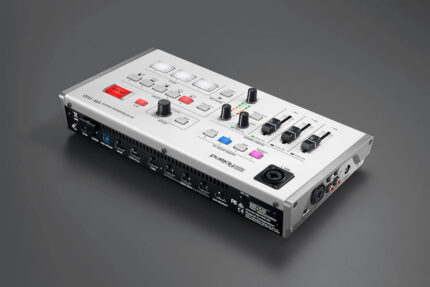
| Professional SDI Video Switching that you can take anywhere.
V-1SDI is a flexible and versatile video switcher that makes it easy to connect and switch professional 3G SDI cameras and playback sources along with HDMI sources including cameras, smart phones, computers, tablets, Blu-ray players.
Compact and portable, the V-1SDI delivers professional switching results with its easy to use hardware interface complete with T-Fader and easy-to-see backlit buttons.
With support for 3G-SDI, the V-1SDI can operate at full 1080p resolution and can take advantage of the longer cable distance of SDI making this compact solution suitable for events and applications in even large spaces with the most professional level of SDI camera sources.
Main Features
- 3 x 3G-SDI and 2 x HDMI inputs
- 2 x 3G-SDI and 1 x HDMI outputs
- Supports full 1080p
- Compact with hardware control
- Multiviewer with audio metering • DSK (downstream keyer)
- PiP, Split, Quad, and Chromakey effects
- 14-channel audio mixer
- Remote software control Mac/PC
- RS-232 Remote Control
INPUTS
The V-1SDI has two dedicated 3G SDI inputs, a third channel input that supports 3G SDI or HDMI and a fourth channel HDMI input that also includes scaling.
This makes the V-1SDI ideal in a variety of configurations for both an all camera applications and applications that mix cameras, video sources and computer data sources.
Inputs 1 to 3 of the V-1SDI support 1080p/1080i/720p video resolutions with Input 4’s scaler supporting a wider range of video and VESA resolutions. Both progressive and interlace signals can be input allowing for both 1080i and 1080p signals to be used at the same time. HDCP is supported* for input of copy protected content from devices such as Blu-ray disc players.
*Video is only output from HDMI when HDCP is enabled. SDI outputs are disabled when HDCP is enabled.
OUTPUTS
The V-1SDI has two 3G SDI Outputs and one HDMI output. SDI PVW and MULTI-VIEW outputs are assignable from Program, Multi-view Preview or Full Frame Preview for flexibility in different applications where output display devices support either SDI or HDMI inputs.
QUAD INPUT MULTI-VIEWER
The four-way multi-view preview screen shows all four input sources on a single display for confident monitoring. A red border shows the video currently being output and a green one indicates the video to be output next. It also includes audio metering for all input sources and the main output.
COMPOSITION EFFECTS
The V-1SDI includes DSK (Downstream Keying), Picture-in-Picture (PinP), Split and Quad composting effects ideal for creating news style broadcasts and corporate presentation content.
The DSK function is great for overlaying titles, song lyrics or logos onto incoming video sources that can be switched in the background while text or images remain displayed. The DSK supports both Luminance Keying (Black / White) and Chroma Keying (Blue / Green).
AUDIO MIXING
Included is a 14 channel digital audio mixer.
The V-1SDI can mix 5 stereo audio inputs from the SDI or HDMI ports, the stereo line level input and a mic level input.
Every audio input is equipped with a delay function* to synchronize the video and the audio.
Audio follow function enables the audio to transition along with the video.
The final audio mix is both embedded in the SDI and HDMI output along with the video signal and is also output to the stereo audio output jacks for sending the audio mix to a PA system or recording it on an external device.
*The maximum delay time is 500ms.
REMOTE CONTROL
Remote control is possible with the V-1SDI RCS dedicated computer software for Mac and PC connected via a USB cable.
The application offers a detailed view of the connected V-1SDI and can be used to switch video, mix audio or change settings.
For integration with A/V control systems, the V-1SDI is equipped with a serial connection for control by industry standard RS-232 serial controls.
VIDEO
- Video Processing: 4:2:2 (Y/Pb/Pr), 8-bit
- Input Connectors
SDI INPUT 1--3: BNC x 3. Conforms to SMPTE 424M (SMPTE 425M-AB), 292M
HDMI INPUT 3--4: Type A (19 pins) x 2. HDCP Supported
INPUT 3: SDI or HDMI selected.
- Output Connectors
SDI OUT PGM: BNC x 1
SDI OUT PVW: BNC x 1. Conforms to SMPTE 424M (SMPTE 425M-AB), 292M
HDMI OUT MULTI-VIEW: Type A (19 pins) x 1. HDCP Supported
- Input Formats
SDI INPUT 1-3 Conforms to SMPTE 296M, SMPTE 274MHDMI INPUT 3. 720/59.94p, 720/50p SMPTE 296M(FORMAT switch = 720p)
1080/59.94i, 1080/50i, 1080/59.94p, 1080/50p SMPTE 274M(FORMAT switch = 1080i or 1080p)
The input interlaced video signal is converted to progressive video signal by internal processing.
The video signal frame rate can be selected at the SETUP menu (59.94 or 50).
HDMI INPUT 4
480/59.94i, 576/50i, 480/59.94p, 576/50p, 720/59.94p, 720/50p, 1080/59.94i, 1080/50i, 1080/59.94p, 1080/50p
VGA (640 x 480/60 Hz), SVGA (800 x 600/60 Hz), XGA (1024 x 768/60 Hz)
WXGA (1280 x 768/60 Hz), SXGA (1280 x 1024/60 Hz)
FWXGA (1366 x 768/60 Hz), SXGA+ (1400 x 1050/60 Hz)
UXGA (1600 x 1200/60 Hz), WUXGA (1920 x 1200/60 Hz)
* The refresh rate is the maximum value of each resolution.
* Conforms to VESA DMT Version 1.0 Revision 11.
* 1920 x 1200/60 Hz: Reduced blanking.
* The input interlaced video signal is converted to progressive video signal by internal processing.
* The video signal frame rate can be selected at the SETUP menu (59.94 or 50).
- Output formats
SDI OUT(PGM/PVW) Conforms to SMPTE 296M, 274MHDMI OUT MULTI-VIEW
720/59.94p, 720/50p SMPTE 296M(FORMAT switch = 720p)
1080/59.94i, 1080/50i SMPTE 274M(FORMAT switch = 1080i)
1080/59.94p, 1080/50p SMPTE 274M(FORMAT switch = 1080p)
* The video signal frame rate can be selected at the SETUP menu (59.94 or 50).
- Video Effects
Transition: CUT, MIX (DISSOLVE/FAM/NAM/MOSAIC), WIPE (30 types)
Composition: PinP, SPLIT, QUAD, DSK (Luminance Key, Chroma Key)
AUDIO
- Audio Processing: Sampling rate: 24 bits/48 kHz
- Audio Formats
SDI: Linear PCM, 24 bits/48 kHz, 2ch Conforms to SMPTE 299M
HDMI: Linear PCM, 24 bits/48 kHz, 2ch
- Input Connectors
Digital: SDI INPUT 1--3 (BNC) x 3 SMPTE 299M
HDMI INPUT 3--4 (HDMI Type A 19 pins) x 2
Analog: AUDIO IN (RCA phono type)
MIC (Stereo mini type, plug-in power supported)
- Output Connectors
Digital: SDI OUT PGM: BNC x 1 SMPTE 299M
SDI OUT PVW: BNC x 1 SMPTE 299M
HDMI OUT MULTI-VIEW: Type A (19 pins) x 1Analog: AUDIO OUT (RCA phono type)
PHONES (Stereo mini type)
- Input Level
AUDIO IN: -10 dBu (Maximum: +8 dBu)
MIC: -41-- -13 dBu (Maximum: -1 dBu)
- Input Impedance
AUDIO IN: 15 k ohms
MIC: 10 k ohms
- Output Level
AUDIO OUT: -10 dBu (Maximum: +8 dBu)
PHONES: 92 mW + 92 mW (32 ohms)
- Output Impedance
AUDIO OUT: 1 k ohm
PHONES: 10 ohms
- Audio Effects
EQ, Delay, Compressor, HPF, Gate, Reverb, Mastering effect
OTHERS
- Other Connectors:
USB: B Type (for remote control from PC)
RS-232: DB-9 type
- Other Functions
MEMORY (8 types)
FREEZE (input video captured)
OUTPUT FADE (Audio, Video: WHITE or BLACK)
- Power SupplyAC Adaptor
- Current Draw2.1 A
- Power Consumption25 W
- Operation Temperature: +0 to +40 degrees Celsius, +32 to +104 degrees Fahrenheit
- Dimensions313 (W) x 108 (D) x 59 (H) mm, 12-1/3 (W) x 4-1/4 (D) x 2-1/3 (H) inches
- Weight (excluding AC adaptor)1.2 kg, 2 lbs 10-2/5 oz
- Accessories
Owner's manual
AC adaptor
Power cord
Cord hook
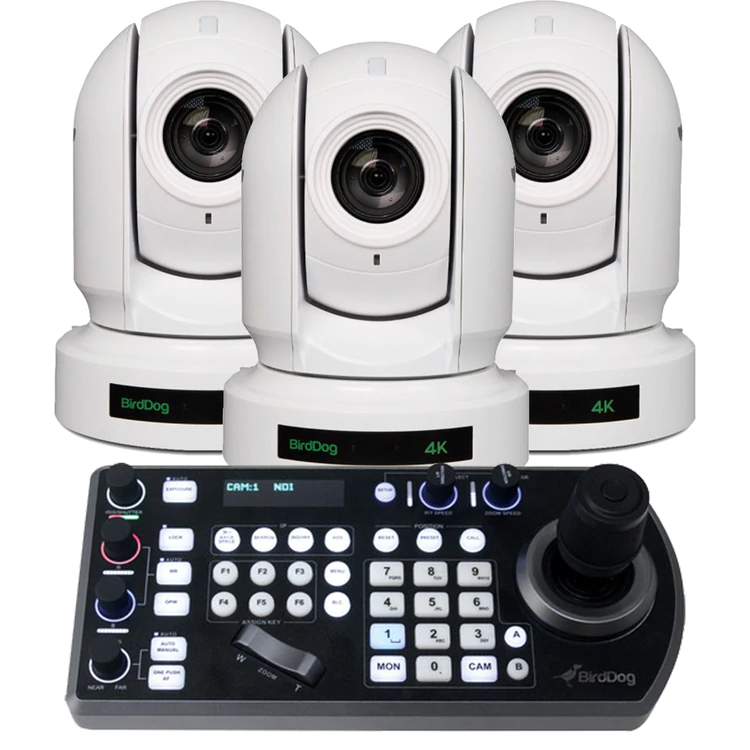
| BirdDog P400 PTZ Camera
P400 features stunning 4K resolution NDI and allows chroma subsampling in your choice of 4:2:0 or 4:2:2.
P400 teams up BirdDog’s custom NDI® silicon chip, a 4K Sony CMOS Backlit sensor, and a true Sony Image Module.
Double Wow.
P400 includes professional-level colour tools including Colour Matrix control, Black level, Gamma including 512 pre-set gamma positions.
Triple Wow.
BirdDog PTZ Keyboard
BirdDog PTZ Keyboard is a full featured PTZ Keyboard that supports NDI®, NDI|HX, Visca over IP, RS422, and RS232. By harnessing BirdDog’s next generation NDI® and IP technology, it’s never been easier to discover, connect, and control your PTZ cameras. Featuring superior ergonomics, premium buttons and joystick, all in a beautiful form factor this is the PTZ controller you have been waiting for. Universal control. Mix and Match protocols. |
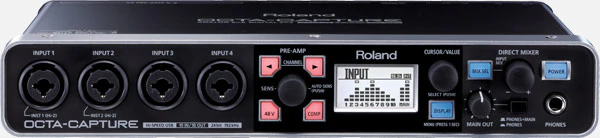
EIGHT PREMIUM MIC PREAMPS, COMPACT I/O, PRISTINE SOUND QUALITY
Combining ten inputs, ten outputs, and eight VS PREAMPS with transparent 24-bit/192 kHz audio quality, the Roland OCTA-CAPTURE sets a new standard for portable USB 2.0 audio interfaces. High-level audio production comes easy with this fusion of premium components, Roland-quality engineering, and proprietary preamp and streaming technology. OCTA-CAPTURE is not only the perfect interface for multi-channel computer-based production, but also a great solution for expanding the I/O capability of the V-STUDIO 700 and V-STUDIO 100. Brimming with quality and performance seldom seen in its price range, OCTA-CAPTURE is the next-generation audio interface.Features
- Eight premium mic preamps built in (VS PREAMP)
- AUTO-SENS function intelligently sets optimal input levels for all preamps
- Extremely stable low-latency VS STREAMING driver
- Four independent software-controlled Direct Mixers for creating custom monitor mixes
- Supports all major DAW platforms on Mac or PC, through ASIO 2.0/WDM (Windows) and Core Audio (Mac) drivers
- Rackmount ears included
Eight Premium Mic Preamps
OCTA-CAPTURE boasts eight premium-grade digitally controlled mic preamps (VS PREAMPS), built with the same high-grade components as the preamps in the V-STUDIO 700 and M-400 V-Mixer. Eight XLR inputs are provided for the preamps, plus independent phantom power, low-cut filter, phase invert, and digital compression for each channel.
Auto Input Level Adjustment
Never before has it been this fast and easy to set perfect input levels — simply activate the AUTO-SENS feature with the push of a button, play your connected instruments, and OCTA-CAPTURE automatically sets the ideal recording level for each input. It’s great for quick, fail-safe audio capture when recording either a fully mic’d drum kit or an entire band.
Extreme Low-Latency Driver
OCTA-CAPTURE offers incredible stability and industry-leading low-latency USB performance via Roland’s proprietary VS STREAMING technology. All current Mac and PC DAW platforms are supported through ASIO 2.0/WDM (Windows) and Core Audio (Mac) drivers. Thanks to VS STREAMING, you can use multiple devices (two OCTA-CAPTURE units or one OCTA-CAPTURE plus a V-STUDIO 100 or V-STUDIO 700) on the same USB bus without compromising stability, performance, or audio quality.
Four Flexible Monitor Mixes
Beyond traditional audio interfacing, OCTA-CAPTURE offers four independent Direct Mixers for creating software-controlled monitor mixes. Each mix can be routed to any of the analog outputs and can take advantage of the internal 40-bit DSP processing — perfect for sending custom monitor mixes to headphones, speakers, or recording devices.
|





Reviews
There are no reviews yet.