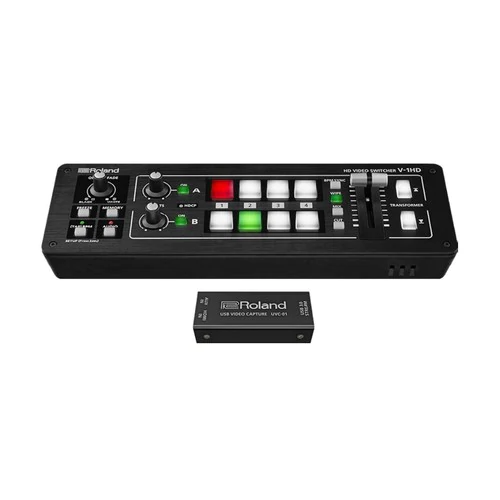
| Content | So compact and portable, you can bring the V-1HD and use it anywhere!
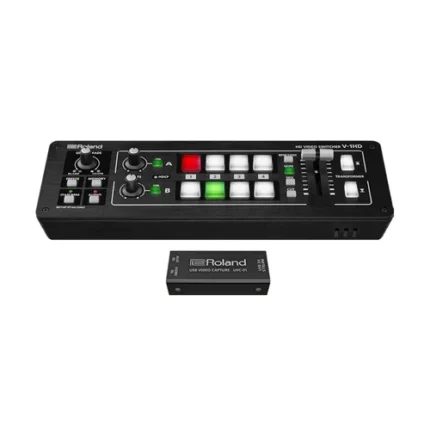
The V-1HD is a compact and portable four channel video switcher with both hardware and connected PC / iPad control that supports four HDMI inputs at resolutions of up to 1080p along with a 12 channel audio mixer with audio embedding and de-embedding from HDMI. The V-1HD supports professional compositing effects such as picture-in-picture and keying allowing for graphic insets, titling or even “green screen” and is ideal for news broadcast or corporate training productions. For creative live event video switching, the V-1HD includes a advanced video effects for transforming video into creative visuals to support all kinds of performances.
Features:
- Support for video cameras, action cameras, smart phones, tablet computers and other HDMI devices
- 4 HDMI inputs
- Supports up to Full HD 1080p
- Easy to Use Interface
- Picture-in-picture and split functions
- Two EFFECTS knobs deliver genuine visual performance
- Full 12 Channel Audio Mixer Included
- Easy to Operate with Hardware Controls
- Two HDMI Outputs
- Remote Control via USB or MIDI Connection
Feature packed and easy to use for high-quality HD video results.
For creative live event video switching, the V-1HD includes a advanced video effects for transforming video into creative visuals to support all kinds of performances. Output of your video mix is as simple as connecting the HDMI output to a projector or screen at an event and you can even connect a recorder for capturing your event or production.
4 HDMI Inputs
The V-1HD has 4 HDMI input connectors compatible with a variety of equipment. The V-1HD supports 1080p/1080i/720p video resolutions. Devices outputting the same resolution can be input regardless of what type of device they are. Both progressive and interlace signals can be input allowing for both 1080i and 1080p signals to be used at the same time. Video signals input from a PC are accurately displayed thanks to progressive signal processing. HDCP is supported for input of copy protected content from devices such as Blu-ray disc players.
Professional Switching
The V-1HD has large back-lit buttons for intuitive video switching even in low light conditions. Red lit buttons indicate the current source being output and green lit buttons indicate the video that will be output on the next transition. The V-1HD even lets you know which inputs have sources connected by illuminating the buttons of the inputs with connected sources. The V-1HD features broadcast style Preview/Program switching for professional results. The TRANSFORMER buttons can be used for instantly switching the video or applying effects. Three transition selection buttons permit quick change of mixing style to match style changes in a performance or broadcast. Transition effects include CUT, MIX (4 types) and WIPE (30 types). The auto scan function switches the video automatically across the four video inputs. By using the T-Fader and BPM SYNC button, you can deliver visuals synced to a music performance. Use the FREEZE button to temporarily pause the incoming video. The output fade function makes the output video fade to black or white.
Effects
Compositing Effects. Compositing two videos in one screen using Picture in Picture or the split function is ideal for seminars and presentations. The V-1HD also supports chroma key and luminance key which ideal for creating professional looking broadcasts using green screen backgrounds or for overlaying computer generated titles on top of video sources. Many of the visual performance functions made popular by the V-4EX and V-8 are included. Use the knob A and knob B to apply and adjust effects to the A bus and B bus respectively. Nine types of filter effects including silhouette, colorpass, negative and findedge are possible. Effects can also be triggered using the TRANSFORMER buttons for even more interactive visual performance possibilities.
Audio Mixing
Included is a 12 channel digital audio mixer. The V-1HD can mix 4 stereo audio inputs from the HDMI ports, the stereo line level input and a mic level input. Every channel is equipped with a delay function* to synchronize the video and the audio. Audio follow function enables the audio to transition along with the video. Reverb function and mastering function used for adjusting sound quality and volume are also supported. The final audio mix is both embedded in the HDMI output along with the video signal and is also output to the stereo audio output jacks for sending the audio mix to a PA system or recording it on an external device. *The maximum delay time is 500ms.
Menu and Settings
The on-screen menu display appears on the preview screen and is easy to operate with hardware controls. Making adjustments to parameters and operating the audio mixer can be made by simple operation of the buttons and the T-Fader on the unit.
Preview Output
The four-way multi-view preview screen shows all four input sources on a single display for confident monitoring. A red border shows the video currently being output and a green one indicates the video to be output next. There are three types of view modes available for the preview output which are Multi-view, Output (as a secondary program output) and Preview. The on-screen display can be turned on or off.
Remote Control via USB or MIDI Connection
Remote control is possible with the dedicated V-1HD RCS application on a PC, Mac or an iPad connected via a USB cable. The application offers a detailed view of the connected V-1HD and can be used to switch video, mix audio or change settings. You can control the unit from a music instrument or a sequencer via the MIDI input connector via MIDI. The V-1HD also transmits MIDI over USB and its controls can be mapped to popular visual performance software applications. *For more information on the dedicated application, see the Roland website. * Please use the iPad camera connection kit to connect an iPad to the V-1HD.
Easy to Operate with Hardware Controls
Basic operations can be done by operating the buttons and the T-Fader on the unit. To make detailed settings you just need to connect a monitor to the preview connector.
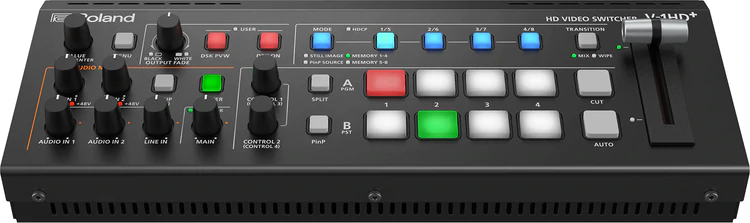
| The V-1HD+ is the ultimate compact A/V switching solution for serious visual storytellers. Elevate your creative production process with versatile I/O, a familiar user interface, deep control, and essential monitoring tools that help keep your content looking great and sounding perfect. The V-1HD+ delivers the superior performance you want and the production-critical reliability you demand—plus the Roland support and training resources you deserve.
Experience the plus advantage—upgrade your productions with the V-1HD+ today!
Professional HD switching solution for live events, livestreaming, or both at once. Standalone video switcher and 14-channel audio mixer for single operators. Compact and portable for fast set up. Familiar interface that’s quick to learn and easy to use. Technology-assisted automatic video switching. Four-layer effects and keying engine to engage audiences with graphics, lower thirds, and social callouts. Pro audio I/O with legendary Roland sound quality. Eight memory presets to recall visual layouts on cue
Features:
- Professional HD switching solution for live events, livestreaming, or both at once
- Compact and portable for fast set up
- Technology-assisted automatic video switching
- Pro audio I/O with legendary Roland sound quality
- Standalone video switcher and 14-channel audio mixer for single operators
- Familiar interface that's quick to learn and easy to use
- Four-layer effects and keying engine to engage audiences with graphics, lower thirds, and social callouts
- Eight memory presets to recall visual layouts on cue
Say Goodbye to Workflow Workarounds
While many video switchers promise easy workflows, they often require workarounds for optimum results. Too often, those workarounds force you into technical compromises and purchasing extra gear. With its feature-rich design, the V-1HD+ provides the key tools you need to get the job done right.
A Legacy of Success
Since its release in 2015, the Roland V-1HD has been the most popular high-definition, four-channel HDMI video switcher available. The V-1HD+ extends this legacy with a deeper feature set for advanced applications—while still maintaining the simple operation, pro performance, and rugged reliability that’s made the V-1HD a favorite of users around the world.
No-Compromise Video I/O
Video professionals shouldn't be forced into making technical compromises. With its full-featured video I/O, the V-1HD+ is inspired by your need to do more.
Four Video Inputs and Onboard Scaling
Four HDMI inputs with frame rate conversion let you mix a variety of sources, including cameras, presentation computers, tablets, and video game consoles. And when you have a troublesome source that won’t display correctly, simply plug it into Input 4 and let the built-in video scaler sync and calibrate the image automatically.
Two Video Outputs
Two independent HDMI outputs can be assigned to display one of three different video busses, providing the versatility you need for pro production. For example, you can use one as your main program output for a recorder or livestream, and the second output to turn any HD video monitor into an “up-next” input preview display or expanded multiviewer with 10 windows.
Pro Operation Made Easy
Your passion for a simplified interface led our designers to add quick-action buttons for the most commonly used operations. With one-touch access to the system menu, downstream key on/off, transition type, picture-in-picture, effects on/off, and more, V-1HD+ production workflow is smooth and hassle-free.
The V-1HD+ also includes PGM and PST busses and a transition/fade bar, which are the most-recognized video switching controls in the industry—and the quickest for beginners and volunteers to learn. And with tactile audio volume knobs, signal/peak lights, and unity gain markers, it’s simple and intuitive to adjust sound levels on the fly.
14-Channel Audio Mixing with Effects
The V-1HD+ allows a single operator to do more than switch cameras—they can mix professional sound too. The integrated 14-channel digital audio mixer blends HDMI audio with mic and line sources, and also offers a variety of onboard effects to sweeten mixes.
Audio Inputs
With two XLR mic inputs and selectable phantom power, the V-1HD+ lets you bring pro-grade microphones into your productions, including condenser broadcast mics. There’s also an 1/8-inch input for a lavalier mic or stereo audio source like a smartphone, plus another stereo input on RCA jacks. Embedded stereo audio from the four HDMI inputs can be included in your mix as well.
Audio Outputs
With the V-1HD+, there’s no need for a dedicated small audio console. Distribute analog sound to a PA system via two balanced ¼-inch TRS outputs, and use embedded digital audio in the HDMI outputs to feed recorders and livestream broadcasts.
Audio Effects
Leave the outboard gear in the recording studio—each audio input on the V-1HD+ has its own three-band equalizer, high-pass filter, compressor, and noise gate, plus a sync delay to align audio with video if needed. The XLR and 1/8-inch inputs also include de-essers to clean up vocal sounds in real time. And with the limiter, three-band equalizer and compressor on the main outputs, you can deliver broadcast-quality sound every time.
Production-Critical Signal Monitoring
Without proper signal monitoring, you’re running blind. The V-1HD+ incorporates several real-time monitoring tools that make it easy to keep your productions looking and sounding their best.
Multiviewer Display
A 10-window multiviewer display can be applied to one or both HDMI outputs, helping you manage productions in real time. Cue up camera shots, preview presentations, and choose stored still images before taking them live to the program feed. Camcorder recording status can be monitored as well.
Audio Monitoring
Even if your video looks perfect, poor sound will ruin the entire production. With the V-1HD+, you can always keep track of your audio quality. Each analog input has its own signal/peak indicator, and headphones can be plugged in to monitor the overall audio feed. When using the multiviewer display, signal level meters are shown for all inputs and the main outputs.
Effects, Keying, and Stills
The powerful effects engine in the V-1HD+ keeps audiences engaged with visually appealing content while opening new revenue streams for customer graphics creation.
Four-Layer Effects Engine
Savvy visual storytellers understand the power of layered graphics and visual effects. With four composition layers at your command, it’s simple to add lower-third titles, logos, social media comments, and more to inform your audience and keep them involved.
Keying
The DSK (downstream keyer) layer lets you independently composite a picture-in-picture (PinP) window on a video feed, which is especially useful for live and online hybrid events. For example, when displaying onscreen graphics for a live presentation, you can also overlay a camera shot of the stage speaker that’s only viewable by the online audience.
Still Images
When using the V-1HD+, you’ll never have to leave your audience with a blank screen when the presentation stops, the meeting goes on break, or the camera power goes down. Simply call up one of four still images you’ve stored in the V-1HD+, or capture stills from a connected input source. And with the versatile effects engine, these images can be used as DSK lower thirds or full-screen backgrounds.
Deep Control
Gain even more control over your productions with these advanced V-1HD+ features.
Camera Tally
A camera tally light visually directs talent to look toward the active camera, and also lets everyone know when the camera is live and “on-air.” The analog tally output on the V-1HD+ can be wired to most broadcast camera systems—refer to the V-1HD+ Reference Manual for wiring specifications.
Recording Control
Many technical elements contribute to a successful recording—but forgetting to hit the record button means the difference between getting paid for the job or not. Via HDMI, you can trigger Atomos recorders to start and stop recording, bringing remote-control convenience to your busy workflow. | If you’re a content creator seeking maximum engagement, livestreaming outperforms uploaded video by a significant margin; audiences are larger, watch for longer and post more comments. Roland’s VR-1HD lets you broadcast dynamic multi-camera livestreams, complete with amazing picture and sound that easily outshines ‘standard’ livestreams from a mobile phone or static webcam. Whether you’re a creator, gamer, commentator or presenter, it’s the easy way to livestream with high production standards. And since you’re going to get more comments, ensure they’re good ones with the VR-1HD.
Real engagement in real time
If you’re a content creator seeking maximum engagement, livestreaming outperforms uploaded video by a significant margin; audiences are larger, watch for longer and post more comments. Roland’s VR-1HD lets you broadcast dynamic multi-camera livestreams, complete with amazing picture and sound that easily outshines ‘standard’ livestreams from a mobile phone or static webcam. Whether you’re a creator, gamer, commentator or presenter, it’s the easy way to livestream with high production standards. And since you’re going to get more comments, ensure they’re good ones with the VR-1HD.
Your ‘plug and play’ broadcast studio
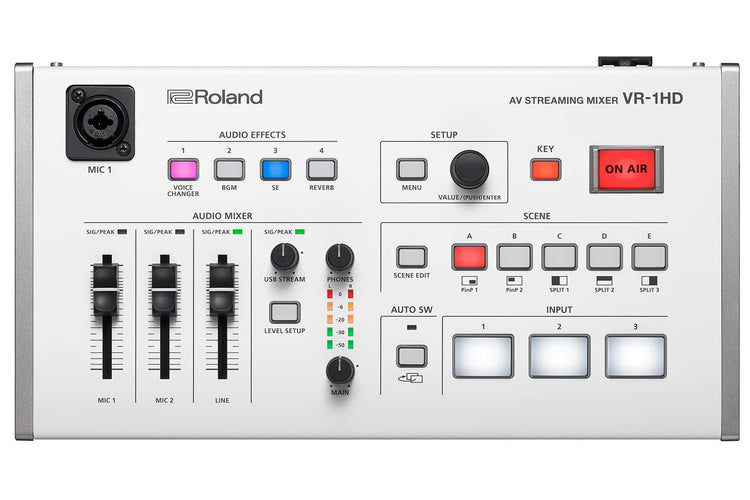
The VR-1HD has three “worry-free” HDMI inputs, and each one accepts a variety of HD and computer-based video resolutions. This lets you connect, switch and stream different sources including cameras, presentations, gameplay and even smartphones and tablets without having to think about it. The audio from these sources can be blended with the two studio-quality XLR microphone inputs and dedicated line input. Best of all, as the VR-1HD is designed for live broadcasting, its dedicated controls and top-mounted mic input (with gooseneck mic) let you go hands-free and headset-free while livestreaming.
Switch to superior livestreams
When preparing a video for uploading, your editing software can add some impressive layering options, including professional transitions that make ‘live-switched’ videos look boring by comparison. The VR-1HD has built-in Scene Switching to instantly jump between scenes that contain preset arrangements of layered sources, displayed within customizable inset windows.
Set-up the scenes in advance and recall them via the five scene preset buttons, to make your livestreaming way more interesting.
Video director inside
When you’re presenting a livestreamed vlog or nailing a live music performance, you’d normally need another person to help switch cameras. The VR-1HD lets you go it alone with three Auto Switching modes that take the strain once the broadcast begins;
Video Follows Audio
Video Follows Audio
The VR-1HD switches cameras based on who’s speaking into their microphone. If both people talk at once, or if no one is speaking, the VR-1HD can switch to a wide shot showing both presenters.
Beat Sync Switching
Start playing music and the VR-1HD will switch to different camera inputs based on your playing tempo or the music in your DJ performance – letting you act as your own VJ.
Auto Scan
For extended live streams with no operator, set the VR-1HD to switch between sources in a pre-defined order, or randomly, at your chosen rate of time.
Audio engineer inside too
Beat Sync Switching
Put audio on auto-pilot and relax, thanks to the VR-1HD’s Auto Mixing function. Just like having a sound engineer, you can ensure that different audio inputs aren’t competing, while also checking that the sound remains balanced. You can even set certain inputs to take priority so when the host starts to speak, the other audio levels are automatically reduced. Audio from your input sources can automatically change when you switch video sources, by engaging the Audio Follows Video function – one less thing to worry about during your livestream.
Sound like your best self or not yourself
Nobody talks about good sound when watching a live stream but they sure notice when its bad. Pros use sound “equalizers” to balance the highs and lows of the audio, “gates” to keep open mics quiet unless someone is speaking and “compressors” to balance out changes in volume when speaking or singing. These are all in the VR-1HD to make sure everyone sounds their best on air along with reverb if someone is inspired to sing and needs a little ambience.
Radically transform your voice
Radically transform your voice
Roland makes the legendary VT series of Voice Transformers, used by creators, gamers and singers to radically change their voice in real-time. This technology means that a male can sound like a female, a female can sound like a male, and anyone can sound like a robot, a monster or an alien. Derived from Roland’s VT series, the VR-1HD’s Voice Changer effect can be applied to the mic inputs, and each input even has its own Voice Changer settings, so people can sound like someone else — or something else — entirely.
Sounds and stingers on-demand
Some of the greatest radio and video personalities incorporate a signature soundtrack and sound effects, known as stingers, that become part of their brand and image. The VR-1HD lets you add your own custom sound effects via USB memory, including jingles or even a theme song, and trigger them instantly via the four Audio Effects buttons on the VR-1HD’s top panel.
Connect to your computer, connect to your audience
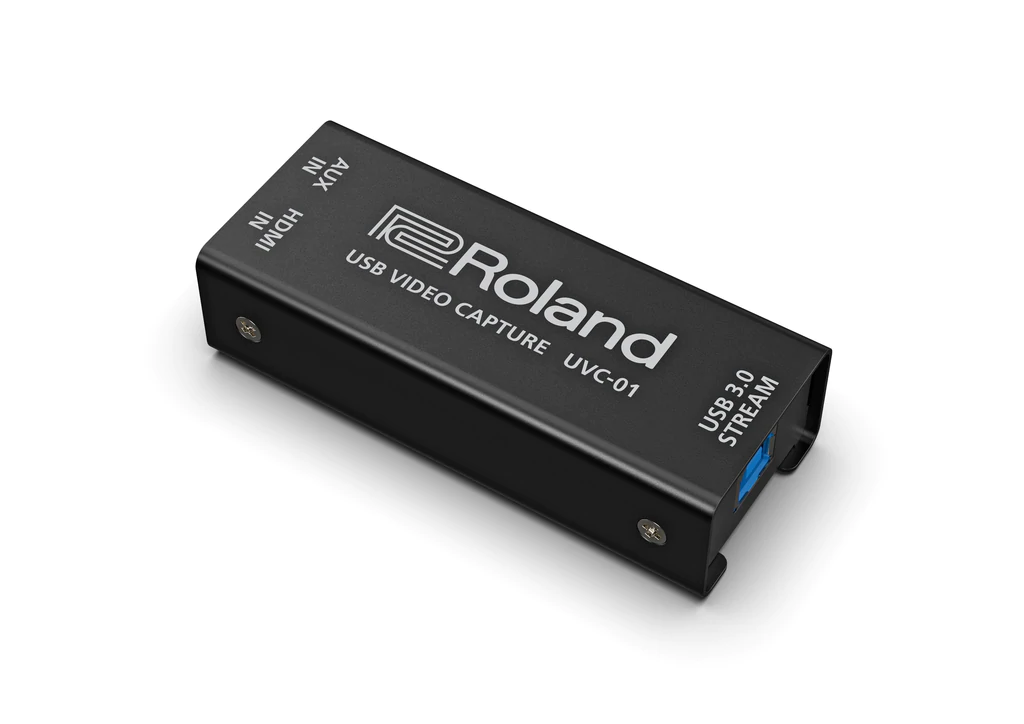
The VR-1HD uses the same connection technology as webcams, so just hook up to your computer via USB 3.0 and fire up the live casting or recording software. Then jump straight into a professionally produced, Full HD broadcast on your favorite platform, including Twitch, YouTube or Facebook Live.
RCS
The VR-1HD RCS software is designed to control the VR-1HD using a computer. By connecting the VR-1HD to your computer via USB, you will be able to copy settings (backup) or update the system software of the VR-1HD in addition to remote controlling the unit from your computer. |
The Node Cellular 4G LTE USB Modem from Teradek enables you to broadcast over 3G, 4G, and 4G LTE network interfaces. A rugged, weather-resistant aluminum chassis and a 4-pin LEMO-type connector provide reliable operation, even under challenging conditions. The Node 3G/4G/LTE offers universal SIM compatibility and uses high-gain external antennas to obtain outstanding cellular connectivity in almost any location. The 4-pin LEMO-type output can be adapted to USB, using the included 13" cable.
Node allows you to go live from almost location, even those with the poor cellular connectivity
Node can operate on every 3G/4G/LTE data band in the region
4-pin connector with a USB adapter provide a secure connection to your Teradek device
Node features a rugged aluminum chassis and both 1/4"-20 and 4-40 mounting options
- VidiU Go/VidiU Pro
- Cube series
- Link/Link Pro wireless access point
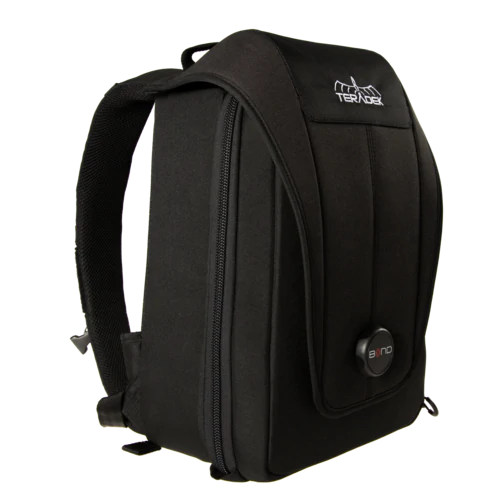
- Bond II/Pro/Expansion Module
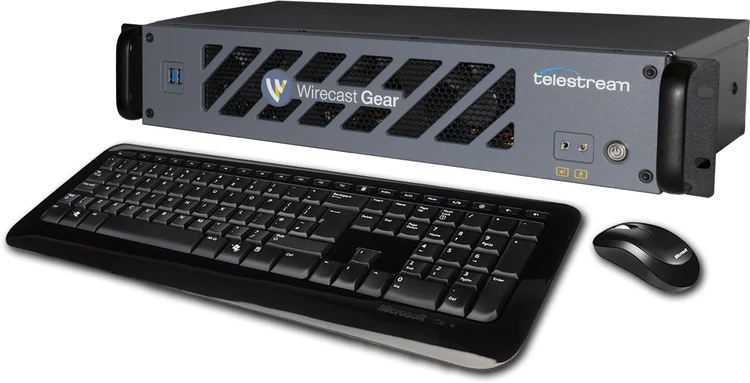
| Wirecast Gear 2-420 Live Video Streaming Production System
Wirecast Gear gives you an easy to use, fully configured live video streaming production system. Because we've already done all the work, there is no need to build your own system! Start streaming in minutes with an end-to-end system configured specifically for your needs. With Wirecast Pro included alongside Gear's custom-designed hardware, it's a live event production switcher, live news production system, Facebook Live switcher and YouTube Live switcher - all in one box.
Each model of Wirecast Gear comes with Xeon Server architecture, up to five HD-SDI or four HDMI professional camera inputs and all the live video streaming production features of Wirecast Pro, the Stock Media Library, NewBlue Titler Live Complete, and Switch Player, all in a compact, powerful hardware system.
Wirecast Gear offers a unique blend of performance, ease of use and affordability. Just plug in your cameras and start producing and streaming your professional events with the industry-leading turnkey video production system.
Features:
- Stream to Facebook, YouTube, Twitter or RTMP
- Facebook Live Social Media Comments
- NDI Input/Output
- Animated 3D Graphics and Titles
- Social media live comment creation (Facebook, YouTube, and Twitter)
- Live sports, data feed, custom clocks, scoreboards, templates
Specifications:
- Integrated Hardware Encoders: 4
- HDMI inputs: n/a
- HD-SDI inputs: 5
- Baseband SDI output: Yes
- Graphics Card: NVIDIA Quadro
- Chassis: (16.7 x 12 x 3.5") 2RU Chassis, with convertible configuration for standard 19" rackmount or set-top box with feet included
- Operating System: Microsoft Windows 10 Enterprise IoT LTSC 64-bit
- I/O Configuration: 5 SDI ports (Gear Capture + Blackmagic)
- Storage: (in addition to system drive)³ 1TB (20 hrs of HD video²)
- Live video streaming production software: Telestream Wirecast Pro
- Titling software for creating rich, animated title designs: NewBlue Titler Live Complete
- Media utility software to play, inspect and make corrections to video: Telestream Switch Player
Item Includes:
- Wirecast Gear 420
- Wireless Keyboard/Mouse combo
- Power cord
- Plastic bag
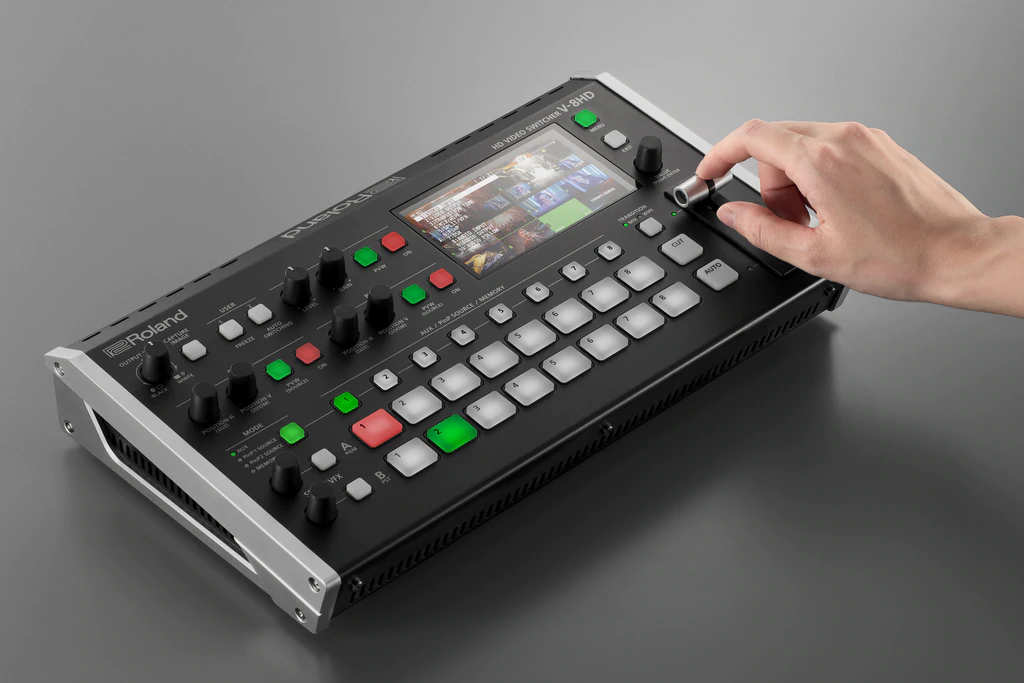
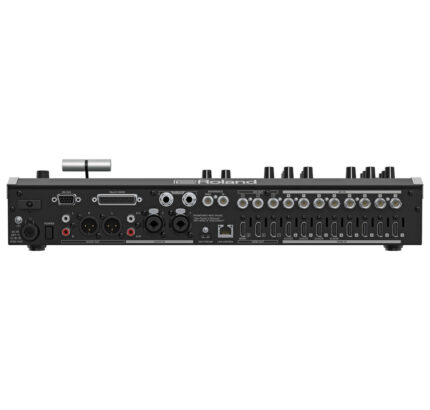
| Versatile, portable, and reliable, the Roland V-8HD brings a world of creative options to live event switching. Its all-in-one hardware design eliminates computer setup hassles and software-based crashes, while the HDMIworkflow and loaded professional toolset streamline production and reduce stress on the gig
- All HDMI workflow
- Five layer effects and keying engine
- Built-in multiviewer preview monitor
- Aux output for a different video feed
- Technology-assisted automatic video switching
- 18-channel digital audio mixer with effects
- Start & Stop Atomos recorders
- Free iPad remote control app available
- Ultra-mobile, lightweight, and efficient
- Aids in reducing capital expenditure
Maximum Connectivity
The V-8HD seamlessly mixes eight HDMI sources with Full HD support, even when the sources have mismatched frame rates and color spaces. And with the built-in scalers on two of the HDMI inputs, you can easily interface with client-provided sources like computers, tablets, smartphones, gaming consoles, and legacy 4:3 devices.
More HDMI Inputs and Outputs
With the V-8HD's eight HDMI inputs and three outputs, you're able to offer clients a vast amount of creative freedom, without increasing the budget.
Set Up Layers, Effects, and Keys
With the V-8HD's five composition layers, you'll always keep audiences engaged with visually appealing content.
Ultra-Mobile, Lightweight, and Efficient
Thanks to its compact footprint, the V-8HD fits effortlessly into any live production environment, even when you have to deal with minimal setup space. And it only weighs around 4 lb, making it easy to carry in a backpack or luggage. With its smart feature set, eight HDMI inputs, built-in 18-channel audio mixer, and support for external battery power, the streamlined V-8HD is a versatile and efficient HDMI switcher.
Seamless Memory Recall
With the V-8HD, storing and recalling unique looks requires only a few button presses. The eight memory presets and powerful composition effects engine work together to provide a completely seamless load between the different looks.
Separate Feeds for Separate Needs
The V-8HD has assignment buttons for sending any of your connected input devices to a dedicated aux output without affecting the main feed. It's also possible to synchronize the aux output with the program output, giving you a built-in 2x distribution amp.
Built-In Multiviewer Display
The V-8HD's bright, 4.3" multiviewer display means less gear to buy and haul to the gig. From a single screen, you can monitor all eight video inputs, PGM, and PVW plus menu overlay. Input windows show camcorder recording status and embedded audio levels. Connect a larger external TV for an immense multiviewer experience, or to make menu changes without moving the focus from the action.
Audio and Effects
The studio-grade, 18-channel audio mixer blends signals from the eight HDMI inputs and stereo RCA inputs, while a feature-packed preset effects library provides setups for everyday production environments like meetings and interviews, plus challenging situations that require wind noise reduction and microphone de-essing.
Automated Video Switching
Input Scan switches input sources randomly or in sequence, while Preset Memory Scan switches between preset memories. Beats per Minute (BPM) Sync is also available, automatically switching Preview and Program at a specified tempo.
Record Triggering and Confirmation
Via HDMI, the V-8HD operator can trigger Atomos recorders to start and stop recording. And some camcorders even display a recording confirmation icon on the input channel of the V-8HD's multiviewer screen, letting you keep an eye on the recording status while staying focused on other critical tasks.
V-8HD iPad Remote Control Utility
The dedicated V-8HD remote control app turns an iPad into an efficient touch interface for the V-8HD. Run essential switching functions, mix audio with virtual faders, change settings and effect parameters quickly, and create up to eight custom scenes for fast, efficient setup changes.
Hands-Free Switching and Control
Stomp on a BOSS single or double footswitch to execute over 100 different switcher commands. Cut to a still image, transition PiP on/off the screen, or drop in a keyed lower-third title. It's also possible to switch the aux output between presenter notes and stage manager messages, turn automatic switching mode on/off, and more.
Roland V-8HD: HD Video Switcher
-Video
-Video Processing
4:2:2 (Y/Pb/Pr), 8-bit
-Input Connectors
INPUT 1--6: HDMI type A x 6
* HDCP Supported
INPUT 7--8: HDMI type A x 2
* HDCP Supported
* Multi-format Supported
-Output Connectors
OUTPUT 1--3: HDMI type A x 3
* HDCP Supported
-Input formats
INPUT 1--6
720/59.94p *1, *3
720/50p *1, *4
1080/59.94i, 1080/59.94p, 1080/60p, 1080/29.97p, 1080/30p *2, *3
1080/50i, 1080/50p, 1080/25p *2, *4
1080/23.98p, 1080/24p *2
* The input interlaced video signal is converted to progressive video signal by internal processing.
*1 SYSTEM FORMAT = 720p
*2 SYSTEM FORMAT = 1080i or 1080p
*3 FRAME RATE = 59.94 Hz
*4 FRAME RATE = 50 Hz
INPUT 7--8
480/59.94i, 480/59.94p, 720/59.94p, 1080/59.94i, 1080/59.94p, 1080/60p, 1080/29.97p, 1080/30p *1
576/50i, 576/50p, 720/50p, 1080/50i, 1080/50p, 1080/25p *2
1080/23.98p, 1080/24p
VGA (640×480/60Hz), SVGA (800×600/60Hz), XGA (1024×768/60Hz)
WXGA (1280×800/60Hz), SXGA (1280×1024/60Hz)
FWXGA (1366×768/60Hz), SXGA+ (1400×1050/60Hz)
UXGA (1600×1200/60Hz), WUXGA (1920×1200/60Hz)
* The refresh rate is the maximum value of each resolution.
* Conforms to CEA-861-E,VESA DMT Version 1.0 Revision 11.
* 1920 x 1200/60 Hz: Reduced blanking
* The input interlaced video signal is converted to progressive video signal by internal processing.
*1 FRAME RATE = 59.94 Hz
*2 FRAME RATE = 50 Hz
Still Image:
Bitmap File (.bmp) Maximum 1920 x 1080 pixels, 24-bit color, uncompressed.
PNG File (.png) Maximum 1920 x 1080 pixels, 24-bit color
* It can be stored up to 8 files in the internal memory.
* PNG alpha channel not supported.
-Output formats
OUTPUT 1--2:
720/59.94p *1, *4
720/50p *1, *5
1080/59.94i *2, *4
1080/50i *2, *5
1080/59.94p *3, *4
1080/50p *3, *5
*1 SYSTEM FORMAT = 720p
*2 SYSTEM FORMAT = 1080i
*3 SYSTEM FORMAT = 1080p
*4 FRAME RATE = 59.94 Hz
*5 FRAME RATE = 50 Hz
OUTPUT 3:
1080/59.94p *1
1080/50p *2
*1 FRAME RATE = 59.94 Hz
*2 FRAME RATE = 50 Hz
- Video Effects
Transition: CUT, MIX (DISSOLVE/FAM/NAM), WIPE (8 types)
Composition: PinP x 2 (SQUARE, CIRCLE, DIAMOND), SPLIT (2 types), Keyer x 2 (Luminance Key, Chroma Key), DSK (Luminance Key, Chroma Key)
Others: Flip horizontal, Flip vertical, Still Image Capture, Still Image Playback, Output fade (Audio, Video: WHITE or BLACK), Test pattern output
-Audio
-Audio Processing
Sampling rate: 24 bits/48 kHz
-Audio formats
Linear PCM, 24 bits/48 kHz, 2ch
-Input Connectors
INPUT 1--8: HDMI Type A x 8
AUDIO IN: RCA phono type
-Output Connectors
OUTPUT 1--3: HDMI Type A x 3
AUDIO OUT: RCA phono type
PHONES: Stereo miniature type
-Input Level
AUDIO IN: -10 dBu (Maximum: +8 dBu)
-Input Impedance
AUDIO IN: 38 k ohms
-Output Level
AUDIO OUT: -10 dBu (Maximum: +8 dBu)
PHONES: 92 mW + 92 mW (32 ohms)
-Output Impedance
AUDIO OUT: 1 k ohm
PHONES: 10 ohms
-Audio Effects
Delay, High pass filter, Compressor, Noise gate, Equalizer, Multi-band compressor, Limiter, Test tone output
-Other Connectors
USB MEMORY: USB A type (for USB flash drive)
REMOTE:USB B Type (for remote control from iPad)
CTL/EXP:1/4-inch TRS phone type
-Other Functions
Preset Memory (8 types)
Panel lock function
EDID Emulator
Auto Switching
Auto Input Detect
-Display
4.3 inches TFT Color LCD: 480 x 272 dots
-Power Supply
AC Adaptor
-Current Draw
3.3 A
-Power Consumption
39.6 W
-Operation Temperature
+0 to +40 degrees Celsius
+32 to +104 degrees Fahrenheit
-Dimensions
317 (W) x 193 (D) x 70 (H) mm
12-1/2 (W) x 7-5/8 (D) x 2-13/16 (H) inches
-Weight (excluding AC adaptor)
2.0 kg
4 lbs 7 oz
-Accessories
Owner's Manual
AC adaptor
Power cord
* 0 dBu = 0.775 Vrms |




Reviews
There are no reviews yet.