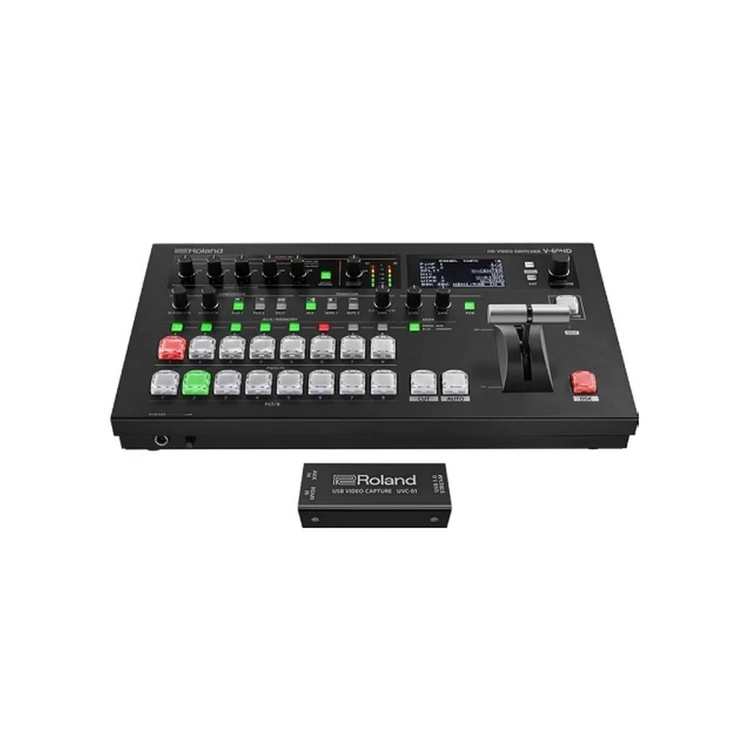
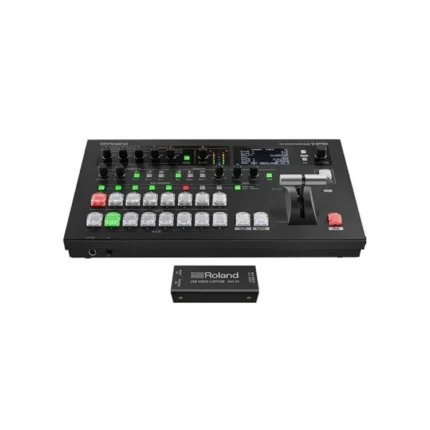
| Content | Live event production and streaming continues to grow and the demand for more features requires a sophisticated feature set. The V-60HD simplifies your set-ups and combines the best of both worlds that includes SDI inputs for camera sources and scaled HDMI inputs for data, computer, tablet and other video sources. The combination of powerful audio features that include multi-channel embedded audio, XLR and RCA analog inputs, de-embedded audio from digital SDI or HDMI sources plus a variety of video connections with a Program and Aux Bus makes the V-60HD ideal for a variety of live event production and streaming applications.
Live Production
Corporate event production is the fastest growing live event space with companies hosting town halls, meetings, trainings, new product announcements, both in person and streaming.
- The V-60HD is portable and small enough to be used in multiple locations in an office or outside meeting location.
- The four SDI inputs and two HDMI inputs are perfect for switching cameras and computers at the same time for dynamic presentations.
- Not all cameras support full 1080p so the de-interlacer on the SDI inputs allows allows you to mix and match 1080i and 1080p SDI video sources multiple camera without external converters.
- Audio is easier to mix than ever before using the V-60HD’s auto mixing function that will automatically balance audio levels from multiple microphones and video sources freeing up the operator to focus on switching the video for the event.
Education
Video communication helps improve the effectiveness of education when used for streaming lectures, assemblies, distance learning, sports, live performances or theater productions.
- Multi destination outputs include Program, Preview and AUX buses and make it easy to send the main output to the primary screen or live stream and presenter notes to a presenter’s monitor.
- Audio auto-mixing automatically adjusts audio level based on weighting ensuring even levels for the room mix, presenter to send to recording, live stream or in-room speakers.
- Educators can use the multi-channel audio embed function to record 8 discreet audio channels to an SDI video recorder to fix audio issues in later editing or separate multi-language audio sources post event.
- The V-60HD’s user interface is easy for students, novices and can be controlled remotely through the LAN port using Roland’s Remote-Control Software from PC or Mac.
- For fixed installations, the V-60HD can be remotely controlled through the RS-232 port using touch panel interfaces making it easy to control functions.
Church/Theater
The V-60HD is ideal for multiscreen environments usually found in churches, conference centers, hotels, and trade show facilities where different content needs to be switched to independent screens.
- The dedicated Aux buttons make switching to a second destination as easy as switching to the main screen
- A newly designed wireless tally system for iOS and Android devices makes for smoother events by providing tally that helps talent and camera operators identify which camera is current selected for program and which camera will be switched to next.
- Auto-Scan (Ver.2.0), integrated audio inputs and advanced effects including Auto-Mixing and powerful dynamics make the V-60HD an ideal streaming mixer solution to remix stems from an audio console and adjusted for broadcast.
VIDEO
Cut, Mix with cross dissolve and NAM, FAM transitions. Use up to 30 different wipe patterns. Time based corrected and frame synched provides seamless transitions between 6 video sources and 2 still images instead of buses. Auto-Scan (Ver.2.0) enables to switch automatically to reduce operator work.
- 4 SDI Inputs (with de-interlacer)
- 2 HDMI Inputs (scaled)
- 1 RGB shared with HDMI input 6 (scaled)
- 2 SDI Outputs ‒ Assignable to PGM, PVW, AUX
- 2 HDMI Outputs ‒ Assignable to PGM, PVW, AUX
- 1 Multiview Outputs ‒ Program, Preview, plus 8 video sources with Audio meters.
- AN ‒ Remote control and Smart Tally
- 8RS-232 ‒ Remote control
- USB Port ‒ Still Image Upload, Saving Program Files
- DC IN - PSB-7U, provided AC adaptor or Battery operation
Professional user interface
Professional broadcast cross point buttons with PGM/PST LED color indicators. Rugged T-Bar, DSK quick edit knobs for key level and gain. Two dedicated PinP and Split buttons with knobs for center framing of Split and PinP placement. Change transition type using either mix or two preset wipe buttons with dedicated transition dissolve time knob. Front panel 3-inch LCD display with quick access menu navigation to adjust switcher parameters.
Video composition
The V-60HD includes a DSK (downstream keyer), Picture-in-Picture (PinP), Split composition effects ideal for creating news style broadcasts and corporate presentations. PinP window shapes include rectangle, circle, heart and diamond patterns to add a special touch to special events. Cropping of PinP and adjusting of SPLIT center portion (Ver.2.0) are suitable for composition of vertically long screen of smart phone.
The DSK can be used for overlaying titles, song lyrics, logos or graphics coming from the video sources with up to three layers of composition. The DSK supports both Luminance Keying (Black/White) and Chroma Keying (Blue/Green) for compositing two video sources plus the additional layer of PinP plus your background video ensuring creative live production environments.
AUX bus
Live streams, HD recording, and confidence monitors often have different visual needs from the main program output. Switch any of the connected input sources to any of the four SDI or HDMI outputs without affecting the main PGM destination. AUX Linked PGM enables AUX output to synchronize with the Program (PGM) output.
Multi-view output
V-60HD can preview all six video inputs and two still images, PGM and PVW to a single preview monitor via the Multi-view output. In addition, you can display the menu on the Multi-view display, so you make setting changes without changing your focus from the preview display. From Ver.2.0, exchanging PGM and PVW window and editing label name of IN1 to 6 are possible.
AUDIO
The V-60HD features an 18-channel audio mixer which includes four XLR/TRS Combo jacks with 48v phantom power, RCA stereo Pair, plus audio de-embed from the six video inputs.
A built-in effects library added from Ver 2.5 is packed with presets for common production scenarios including interviews, ambient sound recording, and eliminated wind noise when recording at field. Anyone can easily set up without audio knowledge.
Audio Mixer with preamp and dynamics (compressor)
The V-60HDs’ preamp and dynamics effects include a high-pass filter, gate, compressor, a 3-band EQ and delay. Anyone without audio knowledge can run sound thanks to the built-in effect's library packed with presets for common production scenarios including interviews, ambient sound recording and elimination of “pops” & wind noise.
Allowing the AV operator to focus on video switching, the onboard intelligence automatically crafts the perfect mix for conferences and panel talks.
Auto mixing
The included Auto-Mixing function ensures the correct mix for multiple panel participants at conferences by automatically adjusting levels across multiple audio sources. A priority weighting assignment that is channel specific can be set giving the moderator or priority audio channel a higher volume level while using the Auto-Mixing function allowing the operator to focus on video switching and production.
Discreet Multi-Channel Audio Embedding
Assign up to eight analog audio inputs a separate audio embed channel on SDI 1 and 2 outputs to ensure a separate mix pre-effect (dry) or post effect (wet) for correcting audio problems post live event. This feature is additionally useful for multi-language events to record the voice-over or language translation on its own audio channel to a separate master.
SMART TALLY
Roland’s innovative Smart Tally wireless tally system strengthens camera operator confidence and ends the hassle of custom made tally cable harnesses. Configured using standard IP protocols, Smart Tally turns smartphones, tablets, computers or ANY web browser into a fully functioning tally light including GREEN for Preview and RED for Program.
REMOTE CONTROL
Extending the V-60HD’s audio mixer with outboard USB control surfaces is an economical alternative to using a dedicated full-size audio mixer. 3rd party USB MIDI control devices are instantly recognizable by Mac and Windows PCs including the V-60HD Remote Control Software.
MULTI PTZ & REMOTE CAMERA CONTROL
When LAN based PTZ cameras are called into action, take control using the V-60HD or powerful RCS. Seamlessly integrate JVC, Panasonic, Sony, PTZOptics, Avonic and VISCA compatible professional pan-tilt-zoom (PTZ) robotic cameras to streamline workflow without the need for a dedicated controller. For a gaming-like experience, pick up a USB gamepad and conquer a team of PTZ cameras. Instincts will guide the way as cameras Pan, Tilt and Zoom effortlessly on the action.
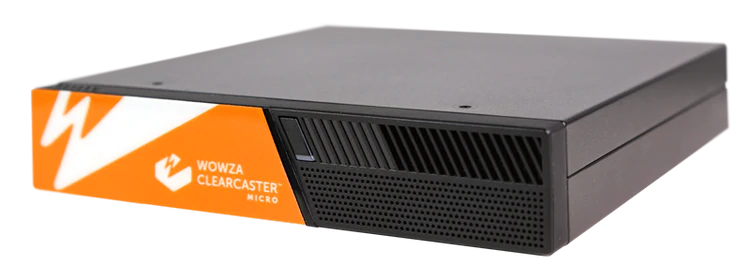
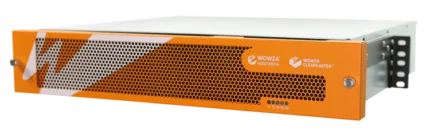
The RCS can connect to certain Canon handheld camcorders via LAN connection. Start & stop recording and tally light is supported | The ClearCaster Micro is a portable live encoding solution packed with features. Ideal for live event producers in the field, the all-in-one Micro provides a reliable, cost-efficient way to stream broadcast-quality video to any destination.
Revolutionizing Cloud Control
The ClearCaster Micro is a portable live encoding solution packed with professional features. Ideal for live event producers in the field, the all-in-one Micro provides a reliable, efficient way to stream broadcast-quality video to any destination.
What is Wowza Cloud Orchestration?
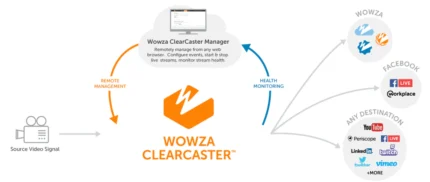
Cloud-based control of your entire encoding fleet — from anywhere in the world. Designed with a cloud-first approach and back-end management, Wowza Cloud Orchestration allows you to take complete control of your entire encoder fleet from anywhere in the world. Prebuilt using proven Wowza technology, Wowza Cloud Orchestration simplifies the most dicult parts of the encoding workflow — saving you time and lowering overhead costs. With Wowza Cloud Orchestration, you can easily manage thousands of streams with a scalable API, or build your own architecture on top of our cloud-optimized back-end infrastructure.
Key Features:
- Small and lightweight for on-the-go encoding
- Powerful mini-work station; perfect for challenging network conditions and locations
- Controlled by Wowza Cloud Orchestration API
- Supports Custom Wowza Linux environment
- Local and cloud recording and storage capabilities
- User Management
- Closed Captions
- Titling and Graphics
- Multi-Target/Output
- HEVC
- SRT
- Cloud Storage
- Made for Grab and Go
Cloud-Based ClearCaster Manager
Remote Manger: Browser-based control allows for remote management from anywhere.
Streamlined Workflows: Reliably take broadcasts live with just one click.
Multi-User Access: Provide your entire team with access to your encoders.
Health Monitoring: Identify issues quickly and ensure your broadcasts are ready to go live.
Custom Workflows: Build you own encoding workflows and use interface controls.
User Roles and Permissions: Restrict access on certain features to less technical team members.
Graphics Engine: Enable slates, count-down timers, lower-thirds and animated logos on your broadcast.
APIs: Use the GraphQL API to build your own applications utilizing ClearCaster.
Record Management: Immediately access clean recordings of your broadcasts in the cloud.
Ideal Cases Use:
- House of worship
- On-site events and news
- Education
- Government
- Entertainment
- Prosumers and more!
| Your turnkey broadcast graphics system.
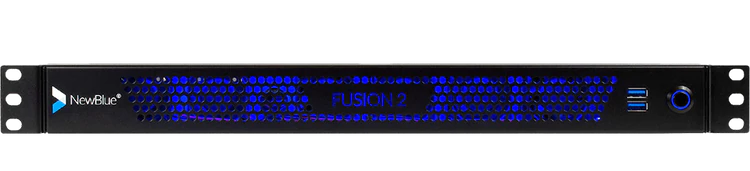
Fusion 2 combines processing power with Titler Live Broadcast for an affordable, end-to-end graphics solution.
Press power and go.
Fusion 2 delivers your on-air graphics combining hardware and software in one dynamic device. Power your broadcast with a sophisticated combination of ultra portable hardware and Titler Live Broadcast software designed for broadcasters and a variety of enterprise markets. Go from unbox to broadcast in the same day.
Get up and running in three easy steps.
Experience end-to-end graphics in a short-depth 1U rackmount chassis running Windows 10.
Design.
Create graphics using the Title Designer. Import your After Effects projects, Photoshop files, or choose from our prebuilt templates.
Connect.
Integrate multiple input and output sources for ultimate control. Fusion 2's flexibility makes each live setup work for you.
Go live.
With minimal prep work and just a few clicks, press power and go live. Let Fusion 2 and Titler Live Broadcast do the rest for you.
Fusion 2 features Titler Live 4 Broadcast.
Now you can deliver unlimited layers of live animated graphics for all your broadcasting needs with Titler Live 4 Broadcast—directly in Fusion 2. Titler Live 4 Broadcast allows you to integrate your data in real-time and create high quality graphics on-the-fly.
Amp up your production value with a proven powerhouse.
Whether you want full customization or turnkey graphics on the fly, Titler Live 4 Broadcast ($2,999 value) brings high production value to your broadcast in minutes. We've loaded it with everything you need to look good, fast.
Customize hundreds of designs with the Title Designer.
With Fusion 2 preloaded with Titler Live 4 Broadcast, you can create custom motion graphics easily using its built-in Title Designer. Titler Live 4 Broadcast comes loaded with a full motion editor, hundreds of built-in templates, and can even import your existing graphics and Adobe assets. You can quickly grow your library of designs with our ever-expanding collection of Title Design Template collections.
Display your spreadsheet data in real-time.
Import your data from Excel spreadsheets and tables, XML files, CSV files, text files, and more. Using Titler Live 4 Broadcast, you can host all your data in a single file, display data rich infographics such as leaderboards and create instant lower thirds.
Access social media controllers and custom social templates.
Engage your audience with live comments, tweets, and Facebook reaction polling and queue them all in a custom social playlist. Remotely bring in comments curated from any machine in your local network. Titler Live 4 Broadcast also includes custom-designed social media graphics for a professional look in minutes.
Incorporate scoreboards and statistics.
Drive scoreboard data with realtime reading of JSON and XML files. Bring in scoreboard data from Daktronics, Stat Crew, or Sportzcast. You can also control your scoreboard directly from Titler Live's interface.
Simplify updates and changes in an instant.
Titler Live 4 Broadcast simplifies the traditionally labor-intensive process of creating motion graphics. Now, you can make last minute design or spelling changes, major or minor, with a few keystrokes. Ditch long rendering times and locked up content. With Titler Live 4 Broadcast, you can edit faster with extreme flexibility.
Fusion 2 Extreme
Get the top-of-the-line extreme version of Fusion with priority support and an additional 20 hours of professional service blocks.
- Everything included in Fusion 2 SDI.
- 20 hours of professional services including technical, creative or workflow consultation and engineering.
- Two year manufacturer's warranty.
- Blackmagic DeckLink 8K Pro for high resolution 8K workflows.
- Faster processor (AMD Ryzen 5 PRO 4650G 3.7 GHz).
- More memory (32 GB RAM).
Big or small—every studio needs Fusion 2.
Works in your existing broadcast architecture.
Seamlessly connect to your current broadcast ecosystem with a short-depth, 1U rackmount chassis perfect for shelf mounting in tight spaces such as broadcast trucks, mobile racks and fly away kits.
Drives your graphics with versatility.
Bring your production up to speed into the digital era with the multiple channels and bandwidth you'll need.
Includes onboarding with tailored training & support.
Experience full technical support, custom product onboarding and training to power up and go live.
Control
- Real-time playout
- Live animated updates per layer
- Automated sequencing & looping
- Spreadsheet and crawl autoplay mode
- Hotkey functionality
- Data search & select tool
- TriCaster macro control
- Remote operation on your network
- Network tally support
Outputs
- 16 channels of 4K-NDI
- Dual-channel HD-SDI key/fill (Blackmagic and AJA)
- Unlimited graphics per channel
- Unlimited graphics per playlist
- PNG sequence support
- HDMI
- OBS
- Watch Folder
- NewTek Airsend
- Normal-map-textured materials
- Depth-of-field control
- Blending modes
- Additive blend mode
- Object locking
Inputs
- Excel spreadsheets
- Spreadsheet table support
- XML files
- Stat Crew statistics - football
- Stat Crew® scoreboards
- Daktronics® scoreboards
- Sportzcast scoreboards
- Facebook Live comments
- Facebook Live comment polling
- Facebook Live reaction polling
- Twitter tweets
- YouTube Live chats
- GameWisp
- Stream Labels
- Streamlabs
- Tiltify
- Twitch
- Text files
- RSS feeds
- CSV spreadsheets
Design
- 3D animated graphics
- Animations, effects & transitions
- Native 4K resolution (NDI & SDI only) (Native 8K resolution for Extreme only)
- Adobe® After Effects® import
- Adobe® Photoshop® import
- Title Designer interface
- Sports & scoreboard packages
- Social media & polling packages
- Tables
- Lower thirds
- Crawls
- Main titles
- Motion bugs
Operating System
- Microsoft Windows 10 Pro 64-bit
Graphics Software
Hardware
- Processor - 6-Core AMD Ryzen™ 5
- Memory - 32GB DDR4 3200 MHz RAM
- Graphics - AMD Radeon™ 1900MHz, 7 graphics cores
- Storage - 500GB M.2NVMe SSD
- Video I/O - 2 4K-SDI Key/Fill Pairs
- Blackmagic DeckLink 8K Pro
Front Ports
Rear Ports
- 5 SDI Connectors - 4 video, 1 genlock (supports 2 key & fill pairs)
- 1 RJ-45 Network
- 4 USB 3.2 Gen 1
- 2 USB 2.0
- 2 HDMI
- 1 Display Port
- 3 Audio Jacks (Line In, Line Out, Mic In)
- 2 SMA WiFi Antenna Connectors
- BIOS flash button
- Power Supply - 300Watt max
Dimensions
- 1.75″ H x 16.77″ W x 10.5″ D
(1U rack height)
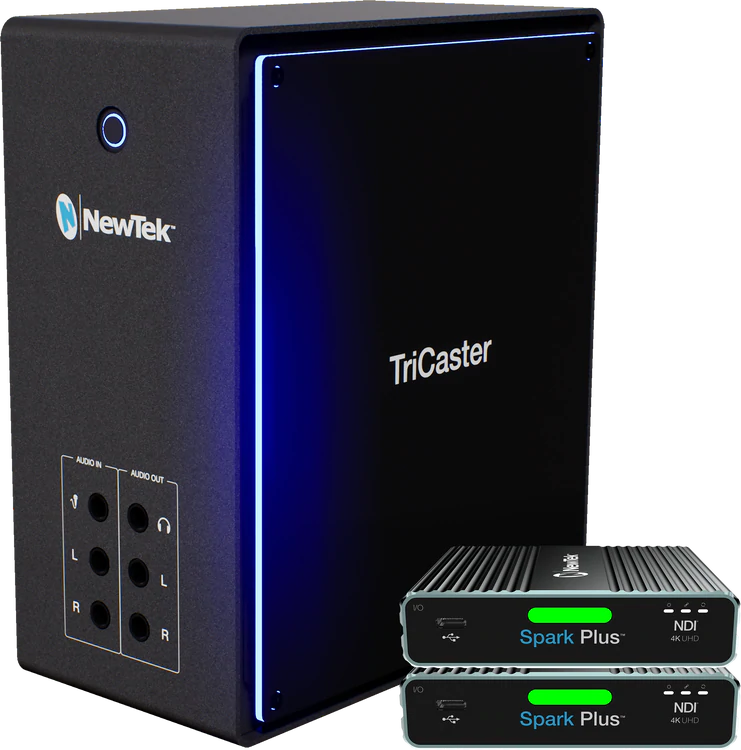
| NewTek TriCaster Mini 4K|NDI is an easy to use compact video creation system to let anyone with a story to tell make fun and exciting shows without needing production expertise.
You don’t have to be a video expert to tell your story with television-quality results. With TC Mini, you can be on your way to making a show in resolutions up to 4K UHD for delivery to any type of screen you want within minutes of opening the box. TC Mini takes portable live production to new heights with hundreds of amazing features, including virtual sets, social media publishing, multi-channel audio mixing, streaming, integrated media playback, and even live motion graphics and Live Story Creator MS Word® show automation with Premium Access. TC Mini delivers you all the benefits of IP based production using NDI® for easy connectivity to media components while leveraging simple one-to-one connections to your HDMI cameras and devices without cable length limitations.
No other portable video creation system offers so many easy and enjoyable ways to tell stories in such a small package for the price than TC Mini. The compact unit is easy to transport and set up with all the features you need to deliver high quality shows to screens and displays of any size or shape. With NDI®, TC Mini connects to a wide variety of NewTek and third-party systems over IP like cameras, converters, and custom software applications. Direct one-to-one connectivity with HDMI cameras and devices simplifies configurations and removes cable length limitations.
Key Features:
4K Ultra HD: Produce programs, performances, events and live sports in true 4K UHD (Ultra High Definition) resolution with support for native 2160p video at 60 frames per second.
Multi-Source Video Mixing: Viewers have their choice of devices. You should have options, too. With multiple source channels, including 4 external inputs, you can easily create compelling content using any combination of compatible video sources, including HDMI and NDI PTZ cameras, mobile devices, Skype TX video calls, computers, gaming systems, streaming media, video files, graphics, images, animations and more.
Built-In Video Servers: No recorders needed—just add your files with two built-in video players for on-demand and automated playback, including auto-advancing playlists, on-cue instant replay, live-edited highlight reels, and much more. With responsive player controls, presets, real-time editing tools, selectable transitions, and playlist effects, you have everything needed to make magic from your stored media.
Skype TX Software Integration: Conduct a live Skype video call with any remote guest, anywhere in the world. TriCaster TC Mini features Skype TX software support, including automatic Mix Minus for clean audio return to the caller. The studio-grade version of the popular app, Skype TX enhances the real-time interaction with broadcast-quality video and balanced audio, permitting you to present production-ready conversations, interviews, reports, and more—regardless of the caller’s device.
Recording: Capture up to 4 source channels of high-quality video as QuickTime® or NDI® files and record to storage. From archiving the master cut for your content library, to ingesting camera footage for post-production, to caching production extras and presentation materials for on-demand, TriCaster TC Mini easily handles the work of multiple professional recorders without the added expense. (10 source channels with Premium Access)
Replay: Insert instant replays from up to 4 NDI or converted HDMI input recordings with a single click instantly; or cue to play on demand instead. Replays include custom in/out transitions and speed control. Create basic highlight clips for instant playback and publishing with shortcut commands
Live Streaming: Stream live to your choice of new media platforms, including user-friendly presets for Facebook Live, Microsoft® Azure®, Periscope, Twitch, YouTube™ Live, and more. The integrated streaming encoder lets you easily deliver platform-specific content, while opening up new sponsorship and revenue opportunities.
Social Media Integration: Share real-time updates and on-demand content across your social media accounts, uploading images and video directly to Facebook, Imgur, LinkedIn, Twitter, Vimeo, YouTube and more—complete with comments and hashtags. Plus, with integrated DataLink™, you can add posts and photos from your social networks in on-screen graphics for a truly interactive experience.
Live Sound Experience: Set the tone for your production with comprehensive audio integration, including a software-based audio mixer, support for digital, analog and network audio, professional DSPs, fader control, VU metering, Talk Back communication, and stereo audio on master output.
Phenomenal Creative Elements: With TC Mini, you have the tools to turn every frame of video into an artistic masterpiece. Consider the screen a blank canvas and unleash your inner artist with multi-bus mix effects, data-driven graphics, custom animated transitions, a full-motion composition engine, and more. Let your imagination run wild.
Real Time Monitoring and Multiviewers: See everything happening during your production with fully adjustable single-screen or multi-screen monitoring. With up to three customizable multiviewers, configurable windows and workspace layouts, operator confidence monitors, visual indicators, and more, you can easily personalize the TC Mini environment to your preference.
Studio Grade Video Tools: Perfect your programs with configurable color correction tools, object positioning, and smooth-edge cropping. Apply picture-in-picture effects with optional borders. Build composite scenes from different foreground and background elements. And so much more.
Spectular Live Chromakeying: Think outside the box with real-time keying so crisp and clean, your viewers will never believe it’s green screen. With NewTek’s powerful LiveMatte™ technology built into every source channel and M/E, you have 10 fully configurable keyers to create composite scenes from live video, graphics and virtual sets for reports, presentations, demonstrations, and more.
World Class Live Virtual Sets: Save on studio and set expenses without sacrificing production value. With integrated LiveSet™ technology and more than 30 included set designs, TC Mini can transport your talent into professionally-designed virtual environments, complete with multiple angles, virtual camera movements, real-time reflections, specular highlights, animated lens flares and stunning augmented reality effects that blur the line between virtual and reality.
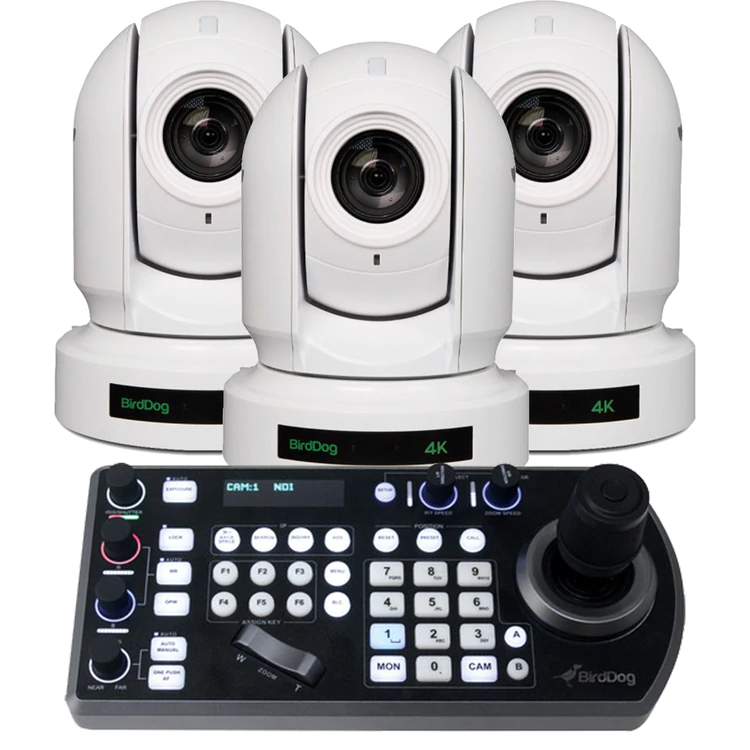
Interconnected Workflows: You don’t work in a silo. Neither should your equipment. With native integration of innovative Network Device Interface technology, TC Mini connects to the most prolific IP-based workflow in the industry right out of the box, networking seamlessly with compatible products from hundreds of manufacturers and developers. | BirdDog P400 PTZ Camera
P400 features stunning 4K resolution NDI and allows chroma subsampling in your choice of 4:2:0 or 4:2:2.
P400 teams up BirdDog’s custom NDI® silicon chip, a 4K Sony CMOS Backlit sensor, and a true Sony Image Module.
Double Wow.
P400 includes professional-level colour tools including Colour Matrix control, Black level, Gamma including 512 pre-set gamma positions.
Triple Wow.
BirdDog PTZ Keyboard
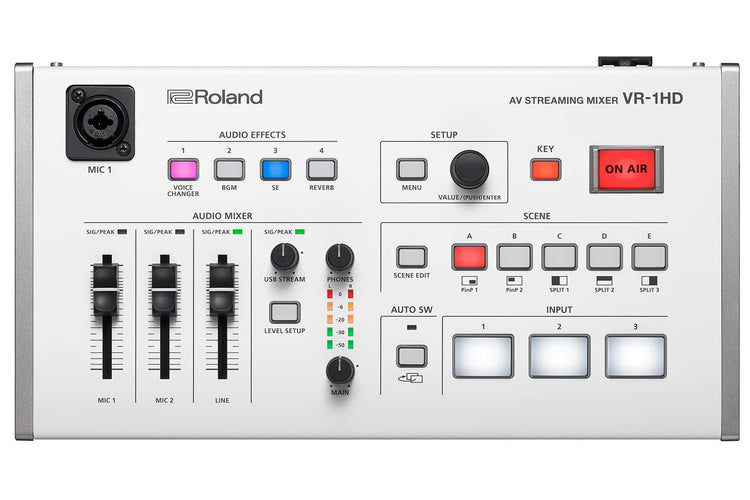
BirdDog PTZ Keyboard is a full featured PTZ Keyboard that supports NDI®, NDI|HX, Visca over IP, RS422, and RS232. By harnessing BirdDog’s next generation NDI® and IP technology, it’s never been easier to discover, connect, and control your PTZ cameras. Featuring superior ergonomics, premium buttons and joystick, all in a beautiful form factor this is the PTZ controller you have been waiting for. Universal control. Mix and Match protocols. | If you’re a content creator seeking maximum engagement, livestreaming outperforms uploaded video by a significant margin; audiences are larger, watch for longer and post more comments. Roland’s VR-1HD lets you broadcast dynamic multi-camera livestreams, complete with amazing picture and sound that easily outshines ‘standard’ livestreams from a mobile phone or static webcam. Whether you’re a creator, gamer, commentator or presenter, it’s the easy way to livestream with high production standards. And since you’re going to get more comments, ensure they’re good ones with the VR-1HD.
Real engagement in real time
If you’re a content creator seeking maximum engagement, livestreaming outperforms uploaded video by a significant margin; audiences are larger, watch for longer and post more comments. Roland’s VR-1HD lets you broadcast dynamic multi-camera livestreams, complete with amazing picture and sound that easily outshines ‘standard’ livestreams from a mobile phone or static webcam. Whether you’re a creator, gamer, commentator or presenter, it’s the easy way to livestream with high production standards. And since you’re going to get more comments, ensure they’re good ones with the VR-1HD.
Your ‘plug and play’ broadcast studio
The VR-1HD has three “worry-free” HDMI inputs, and each one accepts a variety of HD and computer-based video resolutions. This lets you connect, switch and stream different sources including cameras, presentations, gameplay and even smartphones and tablets without having to think about it. The audio from these sources can be blended with the two studio-quality XLR microphone inputs and dedicated line input. Best of all, as the VR-1HD is designed for live broadcasting, its dedicated controls and top-mounted mic input (with gooseneck mic) let you go hands-free and headset-free while livestreaming.
Switch to superior livestreams
When preparing a video for uploading, your editing software can add some impressive layering options, including professional transitions that make ‘live-switched’ videos look boring by comparison. The VR-1HD has built-in Scene Switching to instantly jump between scenes that contain preset arrangements of layered sources, displayed within customizable inset windows.
Set-up the scenes in advance and recall them via the five scene preset buttons, to make your livestreaming way more interesting.
Video director inside
When you’re presenting a livestreamed vlog or nailing a live music performance, you’d normally need another person to help switch cameras. The VR-1HD lets you go it alone with three Auto Switching modes that take the strain once the broadcast begins;
Video Follows Audio
Video Follows Audio
The VR-1HD switches cameras based on who’s speaking into their microphone. If both people talk at once, or if no one is speaking, the VR-1HD can switch to a wide shot showing both presenters.
Beat Sync Switching
Start playing music and the VR-1HD will switch to different camera inputs based on your playing tempo or the music in your DJ performance – letting you act as your own VJ.
Auto Scan
For extended live streams with no operator, set the VR-1HD to switch between sources in a pre-defined order, or randomly, at your chosen rate of time.
Audio engineer inside too
Beat Sync Switching
Put audio on auto-pilot and relax, thanks to the VR-1HD’s Auto Mixing function. Just like having a sound engineer, you can ensure that different audio inputs aren’t competing, while also checking that the sound remains balanced. You can even set certain inputs to take priority so when the host starts to speak, the other audio levels are automatically reduced. Audio from your input sources can automatically change when you switch video sources, by engaging the Audio Follows Video function – one less thing to worry about during your livestream.
Sound like your best self or not yourself
Nobody talks about good sound when watching a live stream but they sure notice when its bad. Pros use sound “equalizers” to balance the highs and lows of the audio, “gates” to keep open mics quiet unless someone is speaking and “compressors” to balance out changes in volume when speaking or singing. These are all in the VR-1HD to make sure everyone sounds their best on air along with reverb if someone is inspired to sing and needs a little ambience.
Radically transform your voice
Radically transform your voice
Roland makes the legendary VT series of Voice Transformers, used by creators, gamers and singers to radically change their voice in real-time. This technology means that a male can sound like a female, a female can sound like a male, and anyone can sound like a robot, a monster or an alien. Derived from Roland’s VT series, the VR-1HD’s Voice Changer effect can be applied to the mic inputs, and each input even has its own Voice Changer settings, so people can sound like someone else — or something else — entirely.
Sounds and stingers on-demand
Some of the greatest radio and video personalities incorporate a signature soundtrack and sound effects, known as stingers, that become part of their brand and image. The VR-1HD lets you add your own custom sound effects via USB memory, including jingles or even a theme song, and trigger them instantly via the four Audio Effects buttons on the VR-1HD’s top panel.
Connect to your computer, connect to your audience
The VR-1HD uses the same connection technology as webcams, so just hook up to your computer via USB 3.0 and fire up the live casting or recording software. Then jump straight into a professionally produced, Full HD broadcast on your favorite platform, including Twitch, YouTube or Facebook Live.
RCS
The VR-1HD RCS software is designed to control the VR-1HD using a computer. By connecting the VR-1HD to your computer via USB, you will be able to copy settings (backup) or update the system software of the VR-1HD in addition to remote controlling the unit from your computer. |




Reviews
There are no reviews yet.