| Content |
Blackmagic Design’s ATEM production switcher series create stunning multi camera live production. ATEM switches between SD, HD, or Ultra HD video standards so your live production can use cameras, disk records, slide shows from computers, and more video sources. Features include chroma key, creative transitions, media pool, downstream keyers, audio mixer, multi view, and more. With a machined aluminum front panel and multi voltage power supplies, ATEM live production switchers can power live production needs at live concerts, sporting events, theater productions, and conferences around the world.
The ATEM 4 M/E has 20 12G-SDI inputs that allow embedded audio mixing and can be used on sources without genlock, such as laptops. Two balanced XLR audio inputs can connect to professional mixers, and a HiFi audio input can connect to an iPod. Thirteen video outputs can be used with any TV or monitor to connect with LED screens, projectors, disk recorders, and broadcast decks. Monitor up to 16 cameras simultaneously with the two independent multi view outputs. An independent aux output can feed big screens on stage, and pairs excellently with SmartScope Duo 4K for tech monitoring.
Let your creative expression take the lead with the ATEM 4 M/E. Creative transitions can be used in all resolutions, and the transition type, pattern, and length are customizable. Powerful digital video effects processor gives you the ability to position, resize, rotate, and scale live video in real time. Built in chroma, luminance, linear and pattern keyers, and two independent downstream keyers all come standard. The ATEM 4 M/E adds an advanced chroma keyer on each mix effects row for massive multi-layer effects. On-screen adjustable controls can select and sample a region of color. Chroma keyer also features foreground, background and edge adjustment controls, and chroma correction tools.
Add multi box compositions quickly and easily with SuperSource’s separate five layer switcher. SuperSource can be assigned to any ATEM video input, so you can produce multi camera interviews or picture in picture while the M/Es, keyers, and DVE are available for other uses. Compositions from SuperSource can be saved and automatically recalled.
Recall saved sequences with dual media players and HyperDeck SSD recorders. Dual media players support popular image formats for downloading still frames and graphics for keying. Set up and automatically start complex sequences with power macros. These macros are saved as XML files for instant recall and can even be copied to use on another switcher. For other pre-recorded sequences, connect up to four HyperDeck SSD recorders to the ATEM switcher.
Software control panel can be used on Mac or Windows computers. This included software panel offers a full visual switcher control panel and parameter palettes. For greater control access, add an ATEM advanced panel.
Blackmagic Design ATEM 4 M/E Features
- Switch between SD, HD, or Ultra HD video standards for ultimate flexibility in live production
- 3840 x 2160 frame size
- 12G-SDI performance
- 20 video inputs and 13 video outputs
- Dozens of effects and creative transitions
- Powerful digital effects processor
- Built in keyers
- Advanced chroma keyer to create multi-layer effects
- SuperSource function extends the ATEM’s power by adding a separate 5 layer switcher
- Dual media players with large graphic memory
- Power macros to save and instantly recall sequences
- Compatible with HyperDeck SSD recorders
- Included software control panel for Mac or Windows
- Add a hardware-based ATEM advanced panel for control in demanding live sound applications
In The Box
- ATEM 4 M/E Broadcast Studio 4K1
| Designed for broadcasters and AV professionals, the ATEM Television Studio series can turn any live event into a professional HD or Ultra HD program. Switching between multiple cameras, game consoles, and computers happens in real time with broadcast quality support so changing sources won’t cause glitching. The ATEM Television Studio Pro 4K is a great switching solution for sporting events, concerts, seminars, video gaming competitions, episodic television, and more.
Streamline your workflow to handle more complex and faster paced productions with the ATEM Television Studio Pro 4K. The ideal combination of a professional control panel and switcher, it is faster to switch sources, add effects, efficiently manage and color grade remote cameras, mix audio, and key graphics.The ATEM Television Studio Pro 4K has all the features of the other models, adding Ultra HD capability and more SDI inputs. Eight independent 12G-SDI inputs support popular HD and Ultra HD formats up to 2160p60 automatically re-sync to the switcher.
Connect up to 8 cameras, game consoles, computers, or other sources from the 8 independent video inputs. Output sources include professional SDI program and aux outputs, with SDI and HDMI outputs supporting multiview monitoring. The ATEM Television Studio Pro 4K supports multiview in Ultra HD.
Broadcast quality transitions give you creative freedom throughout your live production. Choose and instantly apply transitions among mixes, wipes, dips, DVE, and more. Customize duration of transitions and add visual effects to the transitions with borders. The built in DVE powers adjustments to position, size, and scale of live video in real time.
ATEM advanced chroma keyer provides greater color control with clean green screen keying in real time for seamless multi-layer creations.
Talkback can be enabled to send audio to and from the camera. A professional audio mixer also gives the switcher the essential functions for mixing audio.
Blackmagic Design ATEM Television Studio Pro Features
- 8 12G-SDI inputs for popular HD and Ultra HD sources up to 2160p60
- Connected video sources re-sync to the switcher
- Multiview monitoring
- Power supply not included - requires IEC cable
- Broadcast quality transitions
- Built in 2D DVE
- ATEM advanced chroma key
- Talkback
- Audio mixer capabilities
- Software control panel for Mac or Windows included
| Blackmagic Design’s Ultimatte 12 goes beyond the power of even the most advanced keyers, also functioning as a high power real time compositing processor. Enjoy superb edge handling, color separation, color fidelity, spill suppression, and more. 12G-SDI technology supports work in HD and Ultra HD for real-time compositing of weather, sports, news, and entertainment in studio environments.
Control Ultimatte 12 keyers with the Ultimatte Smart Remote 4. The remote connects to the Ultimatte 12 via Ethernet. Set it on the desktop or rack mount it with other equipment. Chain up to eight Ultimatte 12 units together to control with one Smart Remote. In that setup, you get the same functions without adding a video router or hub.
Physical buttons on the Smart Remote 4 control and switch any attached Ultimatte 12 conveniently with on line and on air indicators. Dedicated buttons quickly load and save presets. Large touchscreen makes navigating menus and adjusting settings quick, and provides control over every parameter.
Create your own custom control solutions for Ultimatte 12 with the simple open text based protocol in the Smart Remote 4. Ability to Telnet into Ultimatte 12 over your network lets you develop and test custom control solutions.
Blackmagic Design Ultimatte Smart Remote 4 Features
- Control up to 8 Ultimatte 12s
- Connects via Ethernet
- 8 rotary knobs for adjusting parameters
- 10" touchscreen
- Open text based protocol
- Telnet into Ultimatte 12 over your network
| Power supply not included - requires IEC cable.
Blackmagic Design’s ATEM production switcher series create stunning multi camera live production. ATEM switches between SD, HD, or Ultra HD video standards so your live production can use cameras, disk records, slide shows from computers, and more video sources. Features include chroma key, creative transitions, media pool, downstream keyers, audio mixer, multi view, and more. With a machined aluminum front panel and multi voltage power supplies, ATEM live production switchers can power live production needs at live concerts, sporting events, theater productions, and conferences around the world.
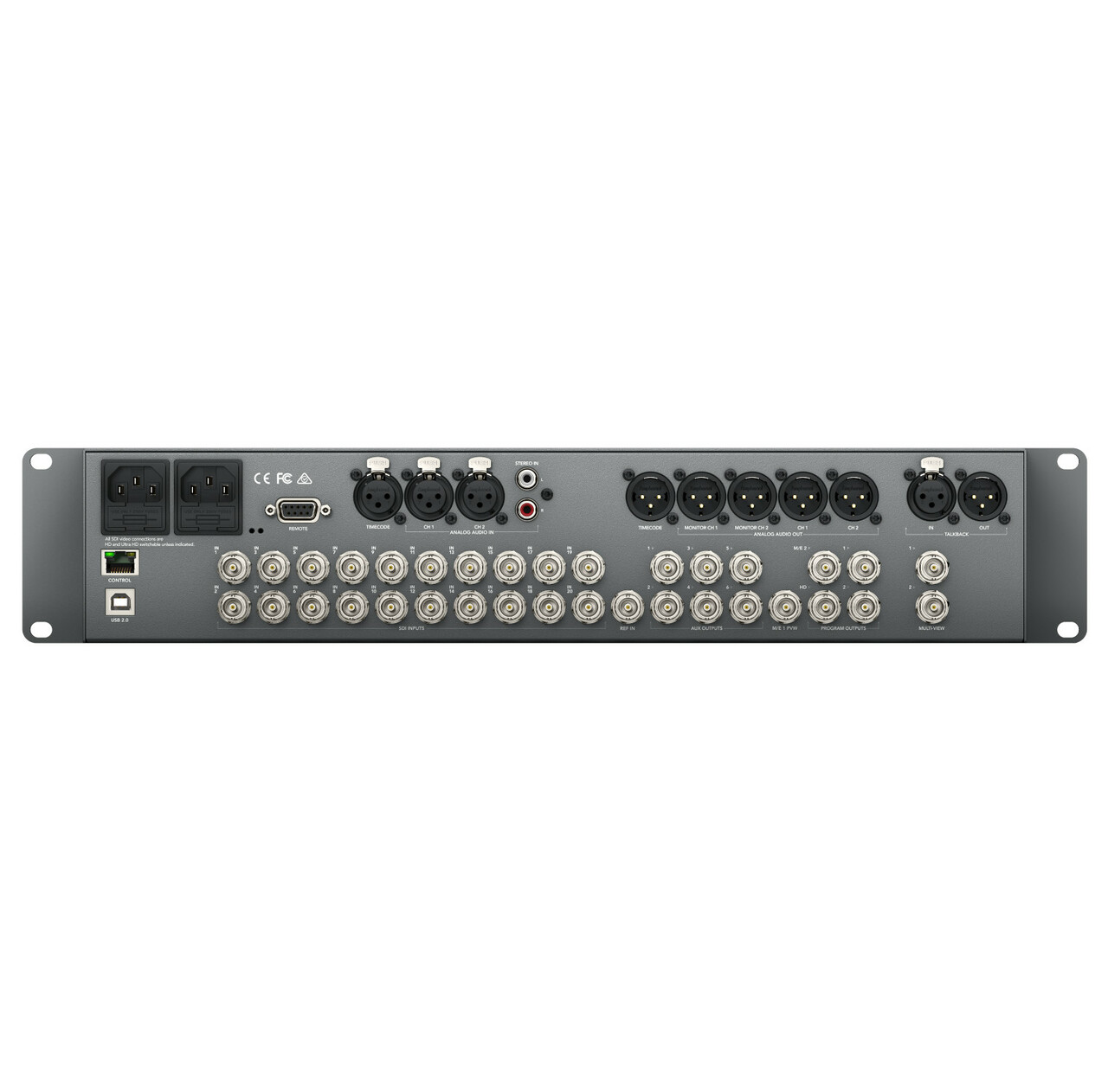
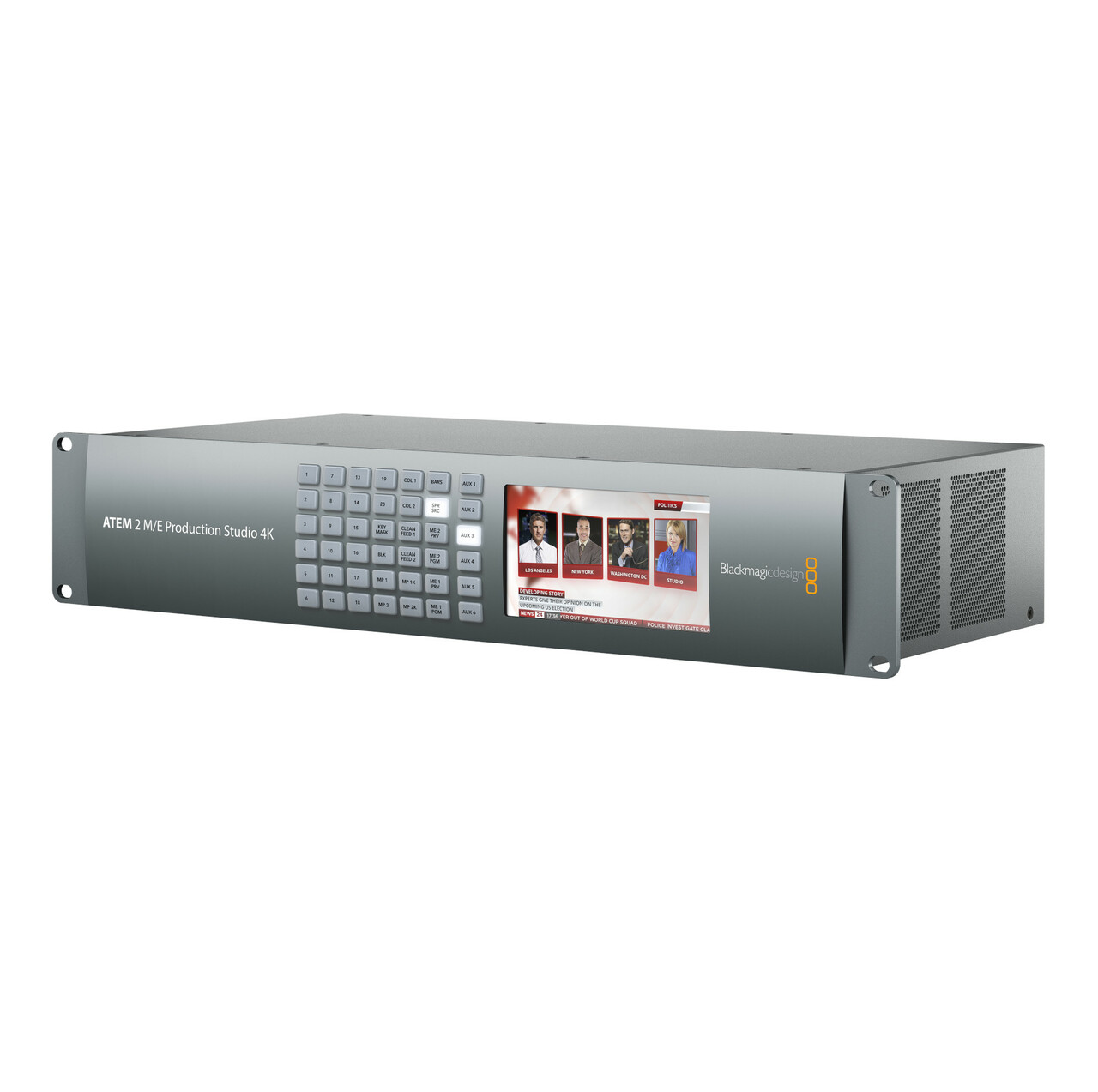
The ATEM 2 M/E has 20 6G-SDI inputs that allow embedded audio mixing and can be used on sources without genlock, such as laptops. Two balanced XLR audio inputs can connect to professional mixers, and a HiFi audio input can connect to an iPod. Sixteen video outputs can be used with any TV or monitor to connect with LED screens, projectors, disk recorders, and broadcast decks. Monitor up to 16 cameras simultaneously with the two independent multi view outputs. An independent aux output can feed big screens on stage, and pairs excellently with SmartScope Duo 4K for tech monitoring.
Let your creative expression take the lead with the ATEM 2 M/E. Creative transitions can be used in all resolutions, and the transition type, pattern, and length are customizable. The ATEM 2 M/E also has animated stingers and DVE transitions. Powerful digital video effects processor gives you the ability to position, resize, rotate, and scale live video in real time. Built in chroma, luminance, linear and pattern keyers, and two independent downstream keyers all come standard.
Add multi box compositions quickly and easily with SuperSource’s separate 5 layer switcher. SuperSource can be assigned to any ATEM video input, so you can produce multi camera interviews or picture in picture while the M/Es, keyers, and DVE are available for other uses. Compositions from SuperSource can be saved and automatically recalled.
Recall saved sequences with dual media players and HyperDeck SSD recorders. Dual media players support popular image formats for downloading still frames and graphics for keying. Set up and automatically start complex sequences with power macros. These macros are saved as XML files for instant recall and can even be copied to use on another switcher. For other pre-recorded sequences, connect up to four HyperDeck SSD recorders to the ATEM switcher.
Software control panel can be used on Mac or Windows computers. This included software panel offers a full visual switcher control panel and parameter palettes. For greater control access, add an ATEM advanced panel.
Blackmagic Design ATEM 2 M/E Features
- Switch between SD, HD, or Ultra HD video standards for ultimate flexibility in live production
- 3840 x 2160 frame size
- 20 video inputs and 16 video outputs
- Dozens of effects and creative transitions
- Powerful digital effects processor
- Built in keyers
- SuperSource function extends the ATEM’s power by adding a separate 5 layer switcher
- Dual media players with large graphic memory
- Power macros to save and instantly recall sequences
- Compatible with HyperDeck SSD recorders
- Included software control panel for Mac or Windows
- Add a hardware-based ATEM advanced panel for control in demanding live sound applications
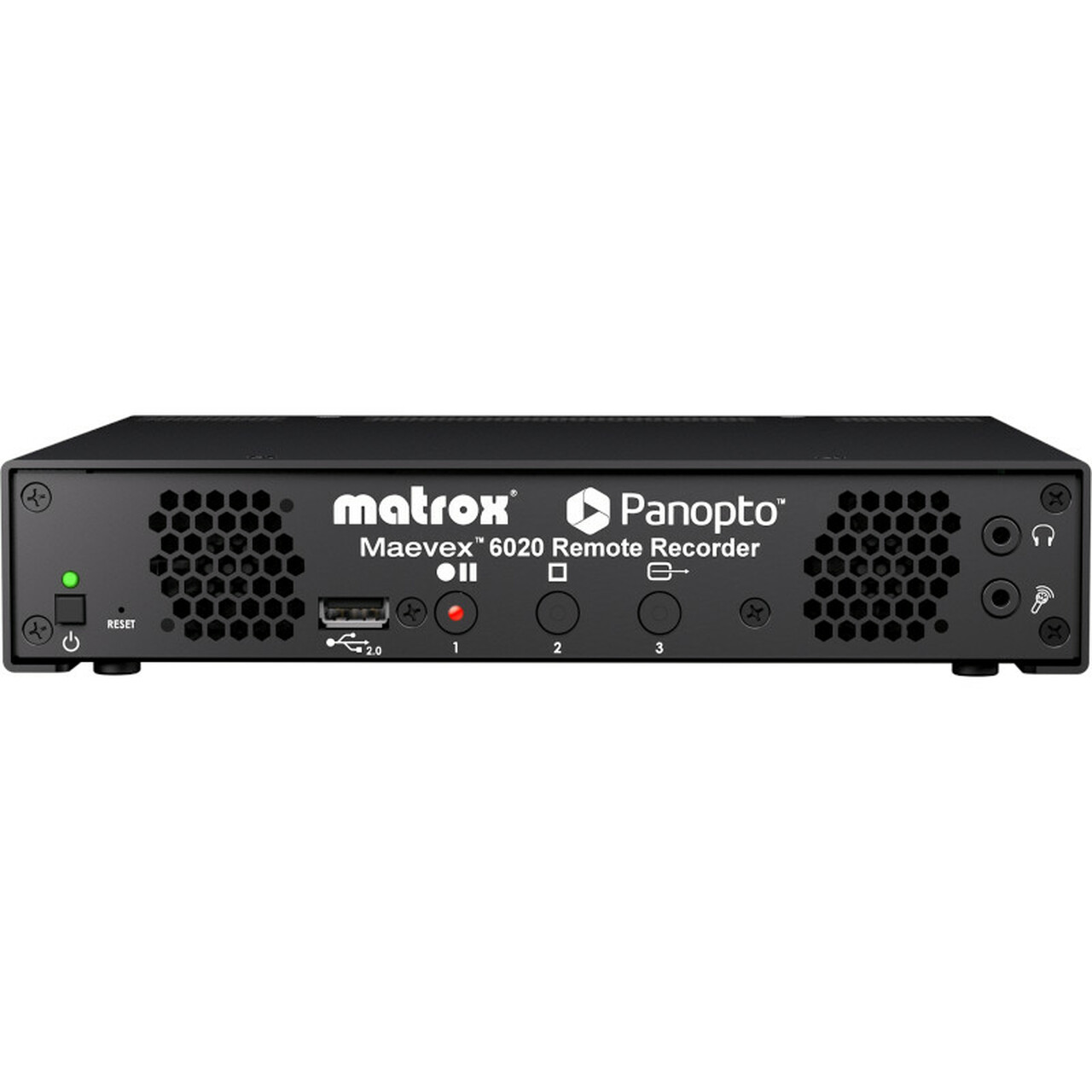
| The Matrox® Maevex 6020 Remote Recorder appliance is a Panopto-certified live streaming multi-recorder specifically designed (for and fully integrated with) Panopto™ industry-leading video management system (VMS). Everything you love about the Panopto cloud or on-premises management of recording, streaming, scheduling, and everything else is available for the Maevex 6020 on the Panopto VMS platform making it simple and easy for administrator and in-room/class operator alike. Leveraging the award-winning Maevex 6100 Series multi-recording and streaming technology, the Maevex 6020 Remote Recorder enhances the Panopto VMS solution by providing best-of-breed live streaming and recording functionality for businesses and universities.
The Maevex 6020 Remote Recorder provides unique features to the Panopto VMS. Key feature set includes two 1080p inputs with multiple on-device quality recordings per input and two channels of 1080p live streaming while recording. Unique to the Maevex 6020 are the multiple recordings of different qualities recorded simultaneously to the devices solid-state memory and uploading while the session is in progress. These on-device multiple recording qualities can later be used to address the best-possible quality match for any viewing device. The recordings are encoded and ready for use as is without any quality loss or time loss (no transcoding, decoding, or re-encoding required). This workflow enables the video on demand from the event to be made available to viewers much faster, at the best quality possible.
When there are no active streams being broadcast, the two sets of recorded streams are delivered to the Panopto VMS simultaneously during the live event with only the slightest of lag from the start of the event as cloud transcoding is eliminated. If there are live streams being broadcast, the recorded streams are delivered immediately after the live streaming event ends, again with no cloud transcoding required. Additionally, in a single session, up to four sets of recordings (each set with multiple quality levels) and two Full HD streams can be enabled by combining two Maevex 6020 devices.
Implementation and operation of the Maevex 6020 Remote Recorder is simple as 1-2-3. Its superior hardware recording and streaming technology is completely integrated into the Panopto cloud video platform. Simply connect power, network, and video; power up; log in to the Panopto cloud account and its done. From there, the all-in-one Panopto VMS platform provides complete control and makes video management, recording, live streaming, inside-video searching, quizzing, analytics, mobile, and other features readily accessible. The front of the appliance also includes one-touch, easy-access button controls to record, pause, resume, and stop. For Panopto first-time users and seasoned professionals alike, the Maevex 6020 Remote Recorder delivers a simple, best-in-class video capture and streaming experience for any academic or enterprise environment. | Power supply not included - requires IEC cable.
Use the Blackmagic Design ATEM production switcher series to create stunning multi camera live production. ATEM switches between SD, HD, or Ultra HD video standards so your live production can use cameras, disk records, slide shows from computers, and more video sources. Features include chroma key, creative transitions, media pool, downstream keyers, audio mixer, multi view, and more. ATEM live production switchers support live production needs at live concerts, sporting events, theater productions, conferences, and more. The ATEM advanced panel is added to an ATEM switcher as a control panel.
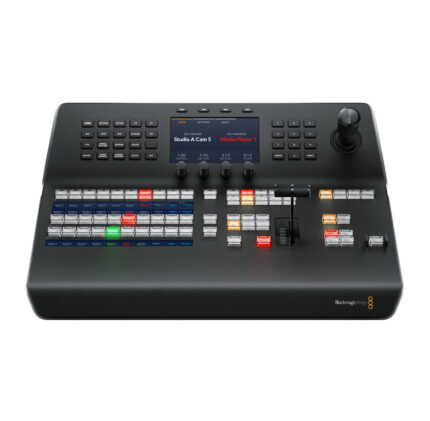
Although each switcher includes ATEM software control panel for Mac or Windows, an ATEM Advanced Panel is faster to use, making it ideal for demanding live production environments. Setup more complex effects with the enormous amount of control you’ll have in the ATEM 1 M/E. The ATEM 1 M/E Advanced Panel features broadcast buttons, knobs, and a t-bar fader.
The ATEM 1 M/E has one row with 10 input buttons, and one system control LCD screen. Input buttons have customizable colors and button label LCDs. Use the shift buttons to double the number of inputs for control of up to 20 inputs. DVE and t-bar fader can be controlled with a joystick. Even though it’s a 1 M/E panel, you can control all M/Es in larger switchers.
Modern design with the latest broadcast technology combine to enable faster workflows. Built in LCD control screen identifies work processes. Buttons are curved and have color backlighting to reduce incorrect key presses and quickly identify the keys you need. Professional joystick controls DVE and camera adjustments, smooth weighted t-bar fader, and more.
Durable and compact, the ATEM 1 M/E fits in a standard equipment rack. It can be used seamlessly for shelf mounting in broadcast trucks, mobile racks, and fly away kits.
Blackmagic Design ATEM 1 M/E Features
- Add to an ATEM switcher for accessible control panel functions
- Faster workflow
- Backlit buttons make identification easy and lower incorrect key presses
- Control up to 20 inputs
- Joystick for DVE and camera adjustments
- Smooth weighted t-bar fader
- Fits in a standard equipment rack
|








Reviews
There are no reviews yet.