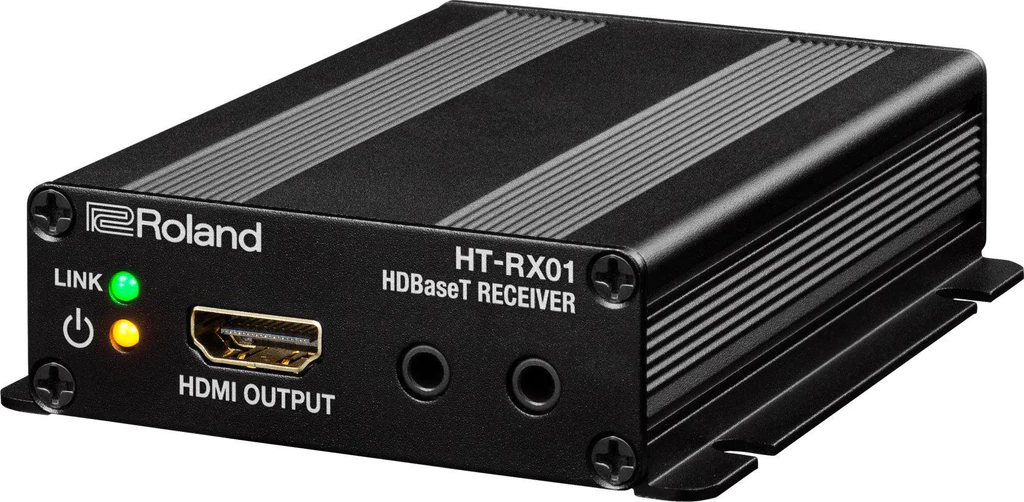
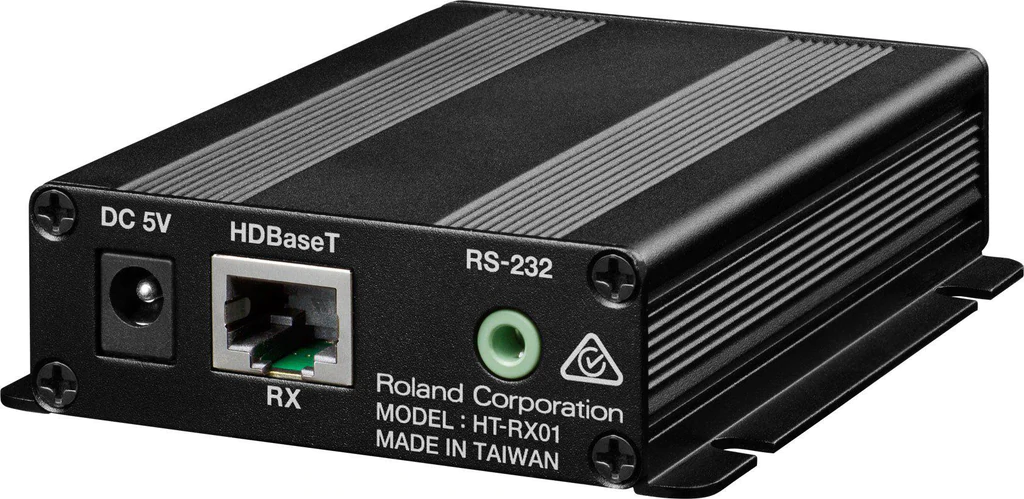
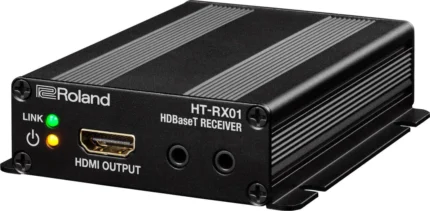
| Content | HDBaseT-compatible receiver capable of transmitting HDMI signals up to 100 meters over an Ethernet cable.
-
- Converts HDBaseT signals to HDMI output
-
- Maximum 1080/60p and WUXGA support for HDMI
-
- Capable of RS-232C transmission
Roland XS series output receiver
The HT-RX01 can be used as a receiver for the HDBaseT output from XS series multi-format matrix switchers. Using the RS-232C signal transmission function of the XS series lets you transmit RS-232C signals input to the XS series device along with video and audio signals. This can achieve audio/video transmission in school auditoriums, company conference halls, and other large spaces.
Long-distance HDMI transmission
Connecting an Ethernet cable to the HT-TX01 or HT-RX01 enables transmission of HDMI signals over a distances of up to 100 meters. This makes it possible to connect video cameras, Blu-ray decks, switchers, and other source equipment to LCD monitors, projectors, and other display devices. In addition to HDMI signals, RS-232C signals can also be transmitted, making it possible to send control signals along with video and audio reducing system wiring. | NewTek IP Series 4-Stripe Control Panel
Definitive control for the most demanding IP production ecosystems.
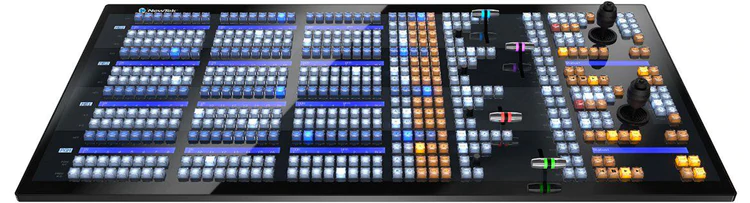
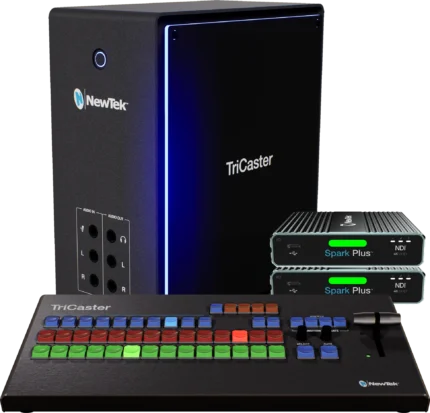
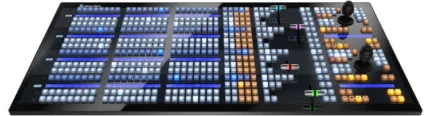
The pinnacle of control for large-scale interconnected production environments, the NewTek IP Series 4-Stripe Control Panel lets you command multi-source, multi-system, and multi-site productions with absolute confidence.
Surface ~ 42.4 x 21.26 x 6.13 in (107.7 x 54.0 x 15.6 cm)
Features
-
- Intuitive layout mapped to the NewTek IP Series Video Mix Engine user interface
-
- IP-based connectivity, with support for multi-engine control over the network
-
- Responsive, multi-bus operation with independently assignable control stripes
-
- Practical lighting, variable T-Bar illumination, and dynamic LCD label displays
-
- Precision controls for expert handling of real-time video operations
-
- Premium craftsmanship for optimal performance, ergonomics, and style
NewTek IP Series 4-Stripe Control Panel is also compatible with TriCaster TC1. | Professional SDI Video Switching that you can take anywhere.
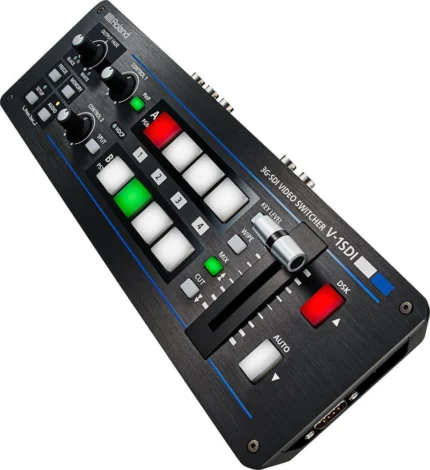
V-1SDI is a flexible and versatile video switcher that makes it easy to connect and switch professional 3G SDI cameras and playback sources along with HDMI sources including cameras, smart phones, computers, tablets, Blu-ray players.
Compact and portable, the V-1SDI delivers professional switching results with its easy to use hardware interface complete with T-Fader and easy-to-see backlit buttons.
With support for 3G-SDI, the V-1SDI can operate at full 1080p resolution and can take advantage of the longer cable distance of SDI making this compact solution suitable for events and applications in even large spaces with the most professional level of SDI camera sources.
Main Features
- 3 x 3G-SDI and 2 x HDMI inputs
- 2 x 3G-SDI and 1 x HDMI outputs
- Supports full 1080p
- Compact with hardware control
- Multiviewer with audio metering • DSK (downstream keyer)
- PiP, Split, Quad, and Chromakey effects
- 14-channel audio mixer
- Remote software control Mac/PC
- RS-232 Remote Control
INPUTS
The V-1SDI has two dedicated 3G SDI inputs, a third channel input that supports 3G SDI or HDMI and a fourth channel HDMI input that also includes scaling.
This makes the V-1SDI ideal in a variety of configurations for both an all camera applications and applications that mix cameras, video sources and computer data sources.
Inputs 1 to 3 of the V-1SDI support 1080p/1080i/720p video resolutions with Input 4’s scaler supporting a wider range of video and VESA resolutions. Both progressive and interlace signals can be input allowing for both 1080i and 1080p signals to be used at the same time. HDCP is supported* for input of copy protected content from devices such as Blu-ray disc players.
*Video is only output from HDMI when HDCP is enabled. SDI outputs are disabled when HDCP is enabled.
OUTPUTS
The V-1SDI has two 3G SDI Outputs and one HDMI output. SDI PVW and MULTI-VIEW outputs are assignable from Program, Multi-view Preview or Full Frame Preview for flexibility in different applications where output display devices support either SDI or HDMI inputs.
QUAD INPUT MULTI-VIEWER
The four-way multi-view preview screen shows all four input sources on a single display for confident monitoring. A red border shows the video currently being output and a green one indicates the video to be output next. It also includes audio metering for all input sources and the main output.
COMPOSITION EFFECTS
The V-1SDI includes DSK (Downstream Keying), Picture-in-Picture (PinP), Split and Quad composting effects ideal for creating news style broadcasts and corporate presentation content.
The DSK function is great for overlaying titles, song lyrics or logos onto incoming video sources that can be switched in the background while text or images remain displayed. The DSK supports both Luminance Keying (Black / White) and Chroma Keying (Blue / Green).
AUDIO MIXING
Included is a 14 channel digital audio mixer.
The V-1SDI can mix 5 stereo audio inputs from the SDI or HDMI ports, the stereo line level input and a mic level input.
Every audio input is equipped with a delay function* to synchronize the video and the audio.
Audio follow function enables the audio to transition along with the video.
The final audio mix is both embedded in the SDI and HDMI output along with the video signal and is also output to the stereo audio output jacks for sending the audio mix to a PA system or recording it on an external device.
*The maximum delay time is 500ms.
REMOTE CONTROL
Remote control is possible with the V-1SDI RCS dedicated computer software for Mac and PC connected via a USB cable.
The application offers a detailed view of the connected V-1SDI and can be used to switch video, mix audio or change settings.
For integration with A/V control systems, the V-1SDI is equipped with a serial connection for control by industry standard RS-232 serial controls.
VIDEO
- Video Processing: 4:2:2 (Y/Pb/Pr), 8-bit
- Input Connectors
SDI INPUT 1--3: BNC x 3. Conforms to SMPTE 424M (SMPTE 425M-AB), 292M
HDMI INPUT 3--4: Type A (19 pins) x 2. HDCP Supported
INPUT 3: SDI or HDMI selected.
- Output Connectors
SDI OUT PGM: BNC x 1
SDI OUT PVW: BNC x 1. Conforms to SMPTE 424M (SMPTE 425M-AB), 292M
HDMI OUT MULTI-VIEW: Type A (19 pins) x 1. HDCP Supported
- Input Formats
SDI INPUT 1-3 Conforms to SMPTE 296M, SMPTE 274MHDMI INPUT 3. 720/59.94p, 720/50p SMPTE 296M(FORMAT switch = 720p)
1080/59.94i, 1080/50i, 1080/59.94p, 1080/50p SMPTE 274M(FORMAT switch = 1080i or 1080p)
The input interlaced video signal is converted to progressive video signal by internal processing.
The video signal frame rate can be selected at the SETUP menu (59.94 or 50).
HDMI INPUT 4
480/59.94i, 576/50i, 480/59.94p, 576/50p, 720/59.94p, 720/50p, 1080/59.94i, 1080/50i, 1080/59.94p, 1080/50p
VGA (640 x 480/60 Hz), SVGA (800 x 600/60 Hz), XGA (1024 x 768/60 Hz)
WXGA (1280 x 768/60 Hz), SXGA (1280 x 1024/60 Hz)
FWXGA (1366 x 768/60 Hz), SXGA+ (1400 x 1050/60 Hz)
UXGA (1600 x 1200/60 Hz), WUXGA (1920 x 1200/60 Hz)
* The refresh rate is the maximum value of each resolution.
* Conforms to VESA DMT Version 1.0 Revision 11.
* 1920 x 1200/60 Hz: Reduced blanking.
* The input interlaced video signal is converted to progressive video signal by internal processing.
* The video signal frame rate can be selected at the SETUP menu (59.94 or 50).
- Output formats
SDI OUT(PGM/PVW) Conforms to SMPTE 296M, 274MHDMI OUT MULTI-VIEW
720/59.94p, 720/50p SMPTE 296M(FORMAT switch = 720p)
1080/59.94i, 1080/50i SMPTE 274M(FORMAT switch = 1080i)
1080/59.94p, 1080/50p SMPTE 274M(FORMAT switch = 1080p)
* The video signal frame rate can be selected at the SETUP menu (59.94 or 50).
- Video Effects
Transition: CUT, MIX (DISSOLVE/FAM/NAM/MOSAIC), WIPE (30 types)
Composition: PinP, SPLIT, QUAD, DSK (Luminance Key, Chroma Key)
AUDIO
- Audio Processing: Sampling rate: 24 bits/48 kHz
- Audio Formats
SDI: Linear PCM, 24 bits/48 kHz, 2ch Conforms to SMPTE 299M
HDMI: Linear PCM, 24 bits/48 kHz, 2ch
- Input Connectors
Digital: SDI INPUT 1--3 (BNC) x 3 SMPTE 299M
HDMI INPUT 3--4 (HDMI Type A 19 pins) x 2
Analog: AUDIO IN (RCA phono type)
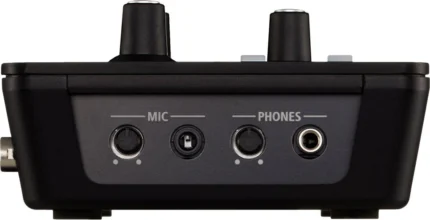
MIC (Stereo mini type, plug-in power supported)
- Output Connectors
Digital: SDI OUT PGM: BNC x 1 SMPTE 299M
SDI OUT PVW: BNC x 1 SMPTE 299M
HDMI OUT MULTI-VIEW: Type A (19 pins) x 1Analog: AUDIO OUT (RCA phono type)
PHONES (Stereo mini type)
- Input Level
AUDIO IN: -10 dBu (Maximum: +8 dBu)
MIC: -41-- -13 dBu (Maximum: -1 dBu)
- Input Impedance
AUDIO IN: 15 k ohms
MIC: 10 k ohms
- Output Level
AUDIO OUT: -10 dBu (Maximum: +8 dBu)
PHONES: 92 mW + 92 mW (32 ohms)
- Output Impedance
AUDIO OUT: 1 k ohm
PHONES: 10 ohms
- Audio Effects
EQ, Delay, Compressor, HPF, Gate, Reverb, Mastering effect
OTHERS
- Other Connectors:
USB: B Type (for remote control from PC)
RS-232: DB-9 type
- Other Functions
MEMORY (8 types)
FREEZE (input video captured)
OUTPUT FADE (Audio, Video: WHITE or BLACK)
- Power SupplyAC Adaptor
- Current Draw2.1 A
- Power Consumption25 W
- Operation Temperature: +0 to +40 degrees Celsius, +32 to +104 degrees Fahrenheit
- Dimensions313 (W) x 108 (D) x 59 (H) mm, 12-1/3 (W) x 4-1/4 (D) x 2-1/3 (H) inches
- Weight (excluding AC adaptor)1.2 kg, 2 lbs 10-2/5 oz
- Accessories
Owner's manual
AC adaptor
Power cord
Cord hook
|
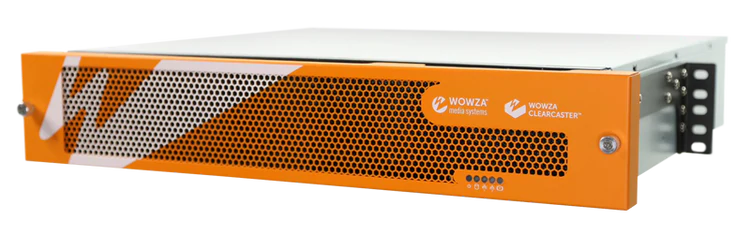
The ClearCaster Enterprise is purpose-built for data centers and production teams, the fully redundant and scalable solution simplifies the streaming workflow and delivers next-generation video performance to any broadcast environment.
Revolutionizing Cloud Control
The ClearCaster EnterpriseTM is the ultimate enterprise-grade live encoding solution. Purpose-built for data centers and production teams, the fully redundant and
scalable solution simplifies the streaming workflow and delivers next-generation video performance to any broadcast environment.
What is Wowza Cloud Orchestration?
Cloud-based control of your entire encoding fleet — from anywhere in the world. Designed with a cloud-first approach and back-end management, Wowza Cloud Orchestration allows you to take complete control of your entire encoder fleet from anywhere in the world. Prebuilt using proven Wowza technology, Wowza Cloud Orchestration simplifies the most dicult parts of the encoding workflow — saving you time and lowering overhead costs. With Wowza Cloud Orchestration, you can easily manage thousands of streams with a scalable API, or build your own architecture on top of our cloud-optimized back-end infrastructure.
Key Features
- Reliable 4K video delivery
- Enterprise-class components
- Rack-mountable; comes with pre-installed kit
- Controlled by Wowza Cloud Orchestration API
- Supports Custom Wowza Linux environment
- Local and cloud recording and storage capabilities
- 4K Resolution
- Redundant Power Supply
- User Management
- Closed Captions
- Titling and Graphics
- Multi-Target/Output
- HEVC
- SRT
- Cloud Storage
- Real-time Dashboard
Cloud-Based ClearCaster Manager
Remote Manger: Browser-based control allows for remote management from anywhere.
Streamlined Workflows: Reliably take broadcasts live with just one click.
Multi-User Access: Provide your entire team with access to your encoders.
Health Monitoring: Identify issues quickly and ensure your broadcasts are ready to go live.
Custom Workflows: Build you own encoding workflows and use interface controls.
User Roles and Permissions: Restrict access on certain features to less technical team members.
Graphics Engine: Enable slates, count-down timers, lower-thirds and animated logos on your broadcast.
APIs: Use the GraphQL API to build your own applications utilizing ClearCaster.
Record Management: Immediately access clean recordings of your broadcasts in the cloud.
Ideal Use Cases Include:
- Broadcasters
- Large-scale productions
- Telecommunications
- Sports leagues
- High-end video conferencing and more!
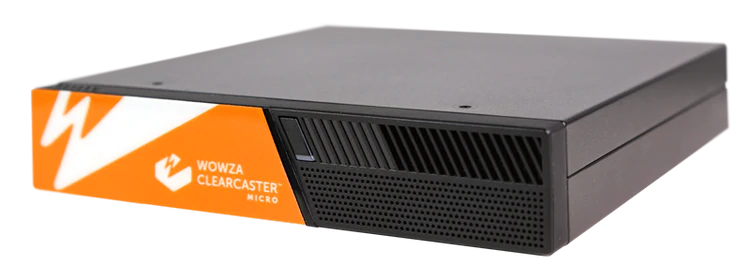
| The ClearCaster Micro is a portable live encoding solution packed with features. Ideal for live event producers in the field, the all-in-one Micro provides a reliable, cost-efficient way to stream broadcast-quality video to any destination.
Revolutionizing Cloud Control
The ClearCaster Micro is a portable live encoding solution packed with professional features. Ideal for live event producers in the field, the all-in-one Micro provides a reliable, efficient way to stream broadcast-quality video to any destination.
What is Wowza Cloud Orchestration?
Cloud-based control of your entire encoding fleet — from anywhere in the world. Designed with a cloud-first approach and back-end management, Wowza Cloud Orchestration allows you to take complete control of your entire encoder fleet from anywhere in the world. Prebuilt using proven Wowza technology, Wowza Cloud Orchestration simplifies the most dicult parts of the encoding workflow — saving you time and lowering overhead costs. With Wowza Cloud Orchestration, you can easily manage thousands of streams with a scalable API, or build your own architecture on top of our cloud-optimized back-end infrastructure.
Key Features:
- Small and lightweight for on-the-go encoding
- Powerful mini-work station; perfect for challenging network conditions and locations
- Controlled by Wowza Cloud Orchestration API
- Supports Custom Wowza Linux environment
- Local and cloud recording and storage capabilities
- User Management
- Closed Captions
- Titling and Graphics
- Multi-Target/Output
- HEVC
- SRT
- Cloud Storage
- Made for Grab and Go
Cloud-Based ClearCaster Manager
Remote Manger: Browser-based control allows for remote management from anywhere.
Streamlined Workflows: Reliably take broadcasts live with just one click.
Multi-User Access: Provide your entire team with access to your encoders.
Health Monitoring: Identify issues quickly and ensure your broadcasts are ready to go live.
Custom Workflows: Build you own encoding workflows and use interface controls.
User Roles and Permissions: Restrict access on certain features to less technical team members.
Graphics Engine: Enable slates, count-down timers, lower-thirds and animated logos on your broadcast.
APIs: Use the GraphQL API to build your own applications utilizing ClearCaster.
Record Management: Immediately access clean recordings of your broadcasts in the cloud.
Ideal Cases Use:
- House of worship
- On-site events and news
- Education
- Government
- Entertainment
- Prosumers and more!
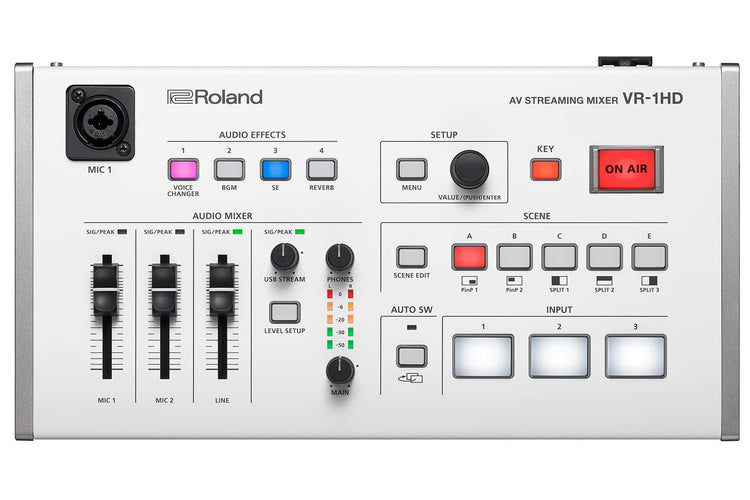
| If you’re a content creator seeking maximum engagement, livestreaming outperforms uploaded video by a significant margin; audiences are larger, watch for longer and post more comments. Roland’s VR-1HD lets you broadcast dynamic multi-camera livestreams, complete with amazing picture and sound that easily outshines ‘standard’ livestreams from a mobile phone or static webcam. Whether you’re a creator, gamer, commentator or presenter, it’s the easy way to livestream with high production standards. And since you’re going to get more comments, ensure they’re good ones with the VR-1HD.
Real engagement in real time
If you’re a content creator seeking maximum engagement, livestreaming outperforms uploaded video by a significant margin; audiences are larger, watch for longer and post more comments. Roland’s VR-1HD lets you broadcast dynamic multi-camera livestreams, complete with amazing picture and sound that easily outshines ‘standard’ livestreams from a mobile phone or static webcam. Whether you’re a creator, gamer, commentator or presenter, it’s the easy way to livestream with high production standards. And since you’re going to get more comments, ensure they’re good ones with the VR-1HD.
Your ‘plug and play’ broadcast studio
The VR-1HD has three “worry-free” HDMI inputs, and each one accepts a variety of HD and computer-based video resolutions. This lets you connect, switch and stream different sources including cameras, presentations, gameplay and even smartphones and tablets without having to think about it. The audio from these sources can be blended with the two studio-quality XLR microphone inputs and dedicated line input. Best of all, as the VR-1HD is designed for live broadcasting, its dedicated controls and top-mounted mic input (with gooseneck mic) let you go hands-free and headset-free while livestreaming.
Switch to superior livestreams
When preparing a video for uploading, your editing software can add some impressive layering options, including professional transitions that make ‘live-switched’ videos look boring by comparison. The VR-1HD has built-in Scene Switching to instantly jump between scenes that contain preset arrangements of layered sources, displayed within customizable inset windows.
Set-up the scenes in advance and recall them via the five scene preset buttons, to make your livestreaming way more interesting.
Video director inside
When you’re presenting a livestreamed vlog or nailing a live music performance, you’d normally need another person to help switch cameras. The VR-1HD lets you go it alone with three Auto Switching modes that take the strain once the broadcast begins;
Video Follows Audio
Video Follows Audio
The VR-1HD switches cameras based on who’s speaking into their microphone. If both people talk at once, or if no one is speaking, the VR-1HD can switch to a wide shot showing both presenters.
Beat Sync Switching
Start playing music and the VR-1HD will switch to different camera inputs based on your playing tempo or the music in your DJ performance – letting you act as your own VJ.
Auto Scan
For extended live streams with no operator, set the VR-1HD to switch between sources in a pre-defined order, or randomly, at your chosen rate of time.
Audio engineer inside too
Beat Sync Switching
Put audio on auto-pilot and relax, thanks to the VR-1HD’s Auto Mixing function. Just like having a sound engineer, you can ensure that different audio inputs aren’t competing, while also checking that the sound remains balanced. You can even set certain inputs to take priority so when the host starts to speak, the other audio levels are automatically reduced. Audio from your input sources can automatically change when you switch video sources, by engaging the Audio Follows Video function – one less thing to worry about during your livestream.
Sound like your best self or not yourself
Nobody talks about good sound when watching a live stream but they sure notice when its bad. Pros use sound “equalizers” to balance the highs and lows of the audio, “gates” to keep open mics quiet unless someone is speaking and “compressors” to balance out changes in volume when speaking or singing. These are all in the VR-1HD to make sure everyone sounds their best on air along with reverb if someone is inspired to sing and needs a little ambience.
Radically transform your voice
Radically transform your voice
Roland makes the legendary VT series of Voice Transformers, used by creators, gamers and singers to radically change their voice in real-time. This technology means that a male can sound like a female, a female can sound like a male, and anyone can sound like a robot, a monster or an alien. Derived from Roland’s VT series, the VR-1HD’s Voice Changer effect can be applied to the mic inputs, and each input even has its own Voice Changer settings, so people can sound like someone else — or something else — entirely.
Sounds and stingers on-demand
Some of the greatest radio and video personalities incorporate a signature soundtrack and sound effects, known as stingers, that become part of their brand and image. The VR-1HD lets you add your own custom sound effects via USB memory, including jingles or even a theme song, and trigger them instantly via the four Audio Effects buttons on the VR-1HD’s top panel.
Connect to your computer, connect to your audience
The VR-1HD uses the same connection technology as webcams, so just hook up to your computer via USB 3.0 and fire up the live casting or recording software. Then jump straight into a professionally produced, Full HD broadcast on your favorite platform, including Twitch, YouTube or Facebook Live.
RCS
The VR-1HD RCS software is designed to control the VR-1HD using a computer. By connecting the VR-1HD to your computer via USB, you will be able to copy settings (backup) or update the system software of the VR-1HD in addition to remote controlling the unit from your computer. |





Reviews
There are no reviews yet.