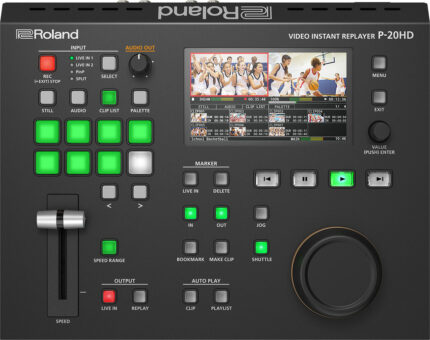
| Content | Until now, creating slow-motion instant replays in live sports productions has required an arsenal of complicated and expensive gear—and the knowledge to run it all. Roland’s P-20HD changes all that, providing an affordable and easy-to-use solution that lets you bring pro replay capabilities to any production setup. Offering seamless integration with most Roland A/V switchers and HDMI camcorders and cameras, the P-20HD transforms everyday sports video productions into edge-of-seat fan experiences.
With the P-20HD, adding the magic of instant replay to your workflow has never been more simple and affordable. Using intuitive controls and the integrated color LCD, you can easily cue up replays of important action to let fans relive the moment, either on your streaming feed or live event screens—or both at once.
The P-20HD records directly to high-capacity SD cards, which are widely available and easy to swap out. And as you cue up and replay clips, the game keeps recording in the background, with no gaps in the action. The P-20HD can be seamlessly inserted into a variety of workflows. Use it on its own, or upstream or downstream of any Roland video switcher. Connect two cameras and switch/composite between sources to capture them for replay. Both HDMI inputs feature built-in scalers, providing worry-free connectivity with nearly any video source.
Roland P-20HD Features
- Slow-motion instant replay and variable speed playback
- Intuitive controls for single-operator sports production
- Simultaneous recording and playback
- Clip playlist builder for creating highlight reels
- Integrated color LCD for preview monitoring
- Capture long events to low cost and widely available SD cards
- Compact, portable, and reliable hardware design
- Ideal for school sports, esports, and sports training
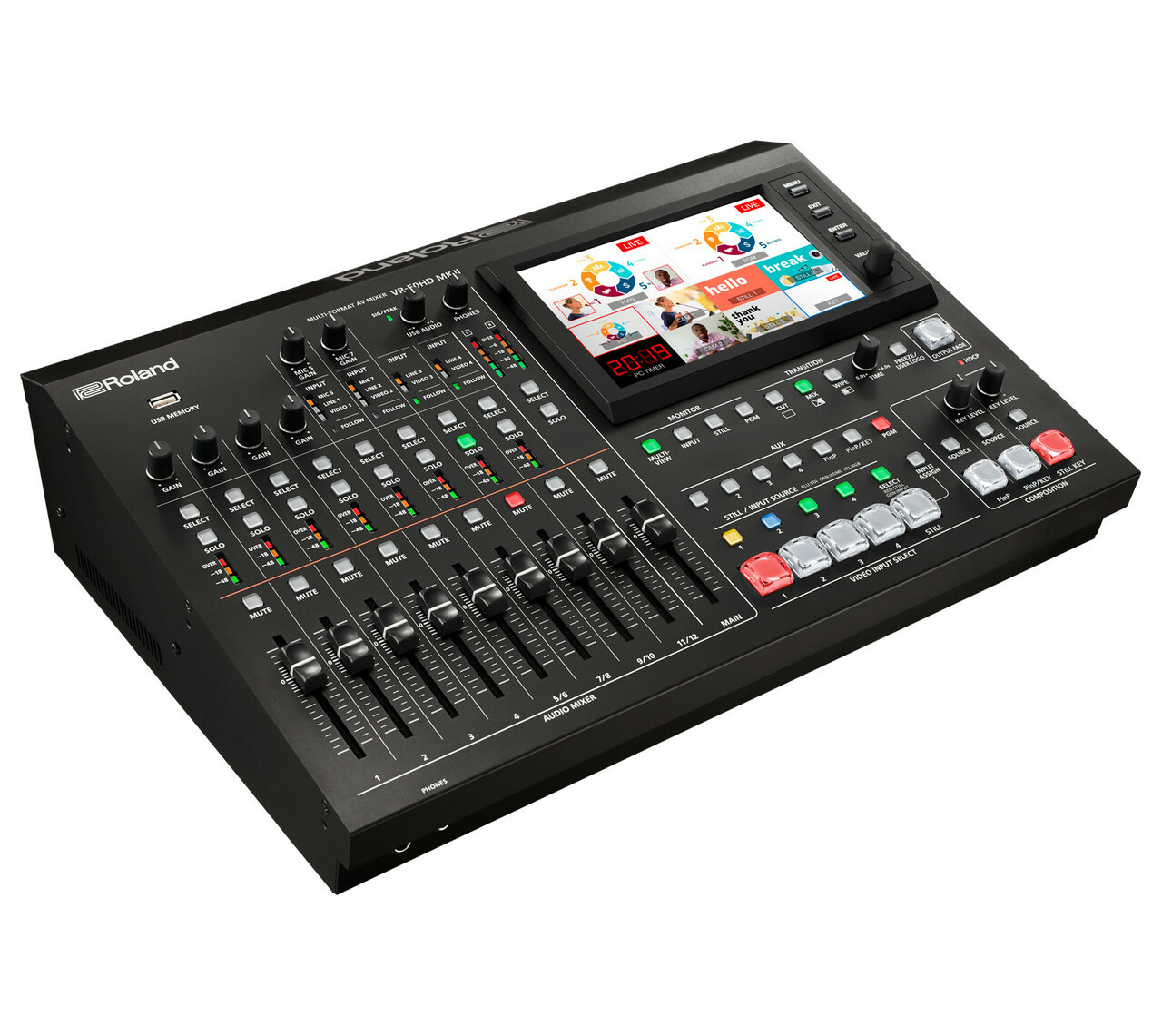
| The VR-50HD MK II Multi-Format AV Mixer is the next evolution of Roland’s industry-leading, all-in-one AV switcher with USB 3.0 streaming. Easily operated by a single person, the VR-50HD MK II continues to deliver best-in-class connectivity and flexibility, allowing you to work a wide range of events with different I/O requirements.
The powerful VR-50HD MK II is a completely self-contained AV solution, consolidating video switching, digital audio mixing, multi-viewer touchscreen control, and USB AV streaming into a single unit that’s simple to run. And with the comprehensive rear patch panel, it’s quick and easy to make on-the-fly input assignments to cross-points on the switcher.
With the VR-50HD MK II, you can send any of the connected input devices to a dedicated Aux output without affecting the main PGM destination. Use the Aux assignment panel buttons to switch the source, or synchronize the Aux output with the PGM (mixer) output to act as a built-in distribution amp. Drilling down into menus while switching is a thing of the past, thanks to dedicated broadcast-style buttons for Aux, PinP, and Still sources. Select, Solo, and Mute buttons are included for all audio channels, speeding up the monitoring process. And with the large touchscreen multi-view monitor, you can view and assign inputs, display up to four still images, execute preview/program functions, and much more.
Offering a number of automation functions the VR-50HD MK II allows a single operator to switch video and mix pro-level audio at the same time. Use Auto Mixing to balance audio levels, Video Follows Audio to switch cameras based on sound input, and Anti-Feedback to automatically tame howling mic feedback. Adaptive noise reduction helps with noise canceling and hum suppression. The VR-50HD MK II is also equipped with a variety of standard audio production inputs, including four XLR/TRS combo jacks with 48 V phantom power, four stereo pairs (two ¼-inch and two RCA), and embedded audio from 3G/HD/SD-SDI and HDMI.
Built-in support can directly control select JVC, Panasonic, Sony, PTZOptics, Avonic and VISCA compatible PTZ LAN cameras. Up to six PTZ cameras can be operated at once via the LAN port. Use the same technology as webcams to reach worldwide audiences by plugging into a computer via USB 3.0 and using a streaming service that's able to use a webcam as its source.
Roland VR-50HD MK II Features
- Aux output for dedicated record, streaming, or confidence monitor feeds
- Updated user interface for fast, trouble-free operation
- High-quality audio preamps and converters for crystal-clear sound
- Direct control of select PTZ cameras from JVC, Panasonic, Sony, PTZOptics, Avonic and VISCA compatible over LAN
- Automatic audio mixing, adaptive noise reduction and automatic video switching functions to support single operators
- All-in-one convenience and ultra-flexible connectivity
- Four-layer composition and still store
| Use the Blackmagic Design ATEM production switcher series to create stunning multi camera live production. ATEM switches between SD, HD, or Ultra HD video standards so your live production can use cameras, disk records, slide shows from computers, and more video sources. Features include chroma key, creative transitions, media pool, downstream keyers, audio mixer, multi view, and more. ATEM live production switchers support live production needs at live concerts, sporting events, theater productions, conferences, and more. The ATEM Camera Control panel can be added to any ATEM switcher model and is connected via Ethernet.
The ATEM Camera Control panel uses traditional broadcast style controls and adjustments in a compact design so one person can monitor and adjust technical parameters such as black levels, gain, color balance, shutter speed, and more. With this control panel, there are four separate LCD displays and control sections for control of up to four different URSA Broadcast, URSA Mini, Blackmagic Studio or Blackmagic Micro Studio cameras. Control layout is familiar and logical for fast and easy operation by operators of all levels. This control panel is meant to be portable, so does not need to be bolted down.
Quickly adapt to changes in the scene with the top section of controls. Top section controls include white balance, master gain, bars, and shutter speed. You can save and recall presets with the load scenes function. RGB controls in the center section allow you to adjust the individual red, green and blue levels in blacks and whites when you need to compensate for unwanted color. The bottom section is dedicated to lens and iris controls, a joystick to adjust iris and master black. There are buttons for talkback with the operator, panel lock, and a number indicator for preview and on air status.
Blackmagic Design ATEM Camera Control Panel Features
- Traditional broadcast style controls and adjustments
- Portable control panel
- Iris control
- Shutter speed
- White balance
- Master gain
- Pedestal
- RGB controls for white and black
| Blackmagic Design’s Ultimatte 12 goes beyond the power of even the most advanced keyers, also functioning as a high power real time compositing processor. Enjoy superb edge handling, color separation, color fidelity, spill suppression, and more. 12G-SDI technology supports work in HD and Ultra HD for real-time compositing of weather, sports, news, and entertainment in studio environments.
Control Ultimatte 12 keyers with the Ultimatte Smart Remote 4. The remote connects to the Ultimatte 12 via Ethernet. Set it on the desktop or rack mount it with other equipment. Chain up to eight Ultimatte 12 units together to control with one Smart Remote. In that setup, you get the same functions without adding a video router or hub.
Physical buttons on the Smart Remote 4 control and switch any attached Ultimatte 12 conveniently with on line and on air indicators. Dedicated buttons quickly load and save presets. Large touchscreen makes navigating menus and adjusting settings quick, and provides control over every parameter.
Create your own custom control solutions for Ultimatte 12 with the simple open text based protocol in the Smart Remote 4. Ability to Telnet into Ultimatte 12 over your network lets you develop and test custom control solutions.
Blackmagic Design Ultimatte Smart Remote 4 Features
- Control up to 8 Ultimatte 12s
- Connects via Ethernet
- 8 rotary knobs for adjusting parameters
- 10" touchscreen
- Open text based protocol
- Telnet into Ultimatte 12 over your network
| The NOVAPRO HD is an advanced high performance LED display controller, video processor, and configuration device that supports multiple signal formats including DP / HDMI / VGA / DVI / CVBS / 3G-SDI, up to 1080p @60Hz input resolution, 165MHz pixel clock and 4G-Bit output bandwidths. NOVAPRO HD also includes DMX512 and GenLock interfaces, Ethernet ports for communication through standard TC/IP and USB control for cascading with additional NOVAPRO HD's. NOVAPRO HD is compatible with all of ADJ's current video products.
Controller Features
- No Computer or External Scaler Needed (standard rectangular layouts only)
- Up to 1080p @60Hz Input Resolution
- 165Mhz Pixel Clock / 4G-Bit Output Bandwidth
- Multiple Video Signal Format Support
- Cascade Multiple Units Together
- Rack Mountable Aluminum Enclosure (screws not included)
Controller Specs
CONTROL / CONNECTIONS
- (1) Input and (4) Output RJ45 EtherCON Ports
- USB, 5pin DMX, and GenLock In/Out Ports
- Audio Input: 1/8 inch connector
- Video Input: DP / HDMI / VGA / DVI / CVBS / 3G-SDI
- Locking IEC Power Input
SIZE / WEIGHT
- Length: 19.0" (483mm)
- Width: 15.3" (389mm)
- Height: 3.5" (88.2mm)
- Weight: 13.2 lbs. (6.0kg)
ELECTRICAL
- AC 85-265V - 50/60Hz - 0.65A
- Max Power Consumption: 30W
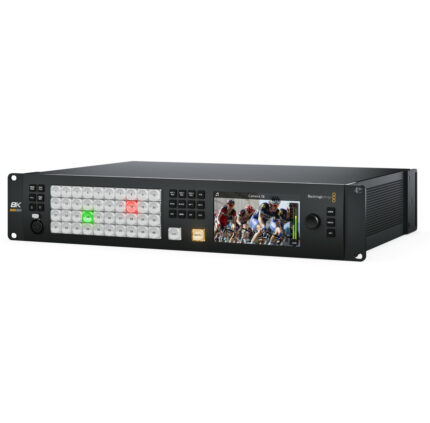
| Designed for broadcasters and AV professionals, the ATEM Television Studio series can turn any live event into a professional HD or Ultra HD program. Switching between multiple cameras, game consoles, and computers happens in real time with broadcast quality support so changing sources won’t cause glitching. The ATEM Television Studio Pro 4K is a great switching solution for sporting events, concerts, seminars, video gaming competitions, episodic television, and more.
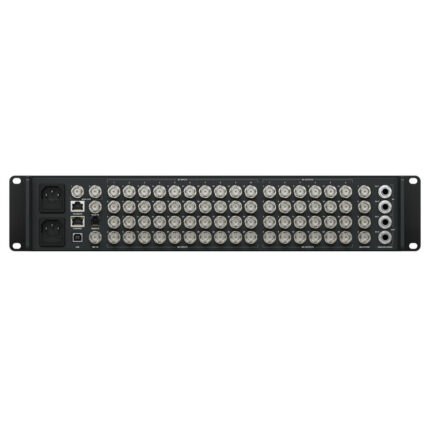
Streamline your workflow to handle more complex and faster paced productions with the ATEM Television Studio Pro 4K. The ideal combination of a professional control panel and switcher, it is faster to switch sources, add effects, efficiently manage and color grade remote cameras, mix audio, and key graphics.The ATEM Television Studio Pro 4K has all the features of the other models, adding Ultra HD capability and more SDI inputs. Eight independent 12G-SDI inputs support popular HD and Ultra HD formats up to 2160p60 automatically re-sync to the switcher.
Connect up to 8 cameras, game consoles, computers, or other sources from the 8 independent video inputs. Output sources include professional SDI program and aux outputs, with SDI and HDMI outputs supporting multiview monitoring. The ATEM Television Studio Pro 4K supports multiview in Ultra HD.
Broadcast quality transitions give you creative freedom throughout your live production. Choose and instantly apply transitions among mixes, wipes, dips, DVE, and more. Customize duration of transitions and add visual effects to the transitions with borders. The built in DVE powers adjustments to position, size, and scale of live video in real time.
ATEM advanced chroma keyer provides greater color control with clean green screen keying in real time for seamless multi-layer creations.
Talkback can be enabled to send audio to and from the camera. A professional audio mixer also gives the switcher the essential functions for mixing audio.
Blackmagic Design ATEM Television Studio Pro Features
- 8 12G-SDI inputs for popular HD and Ultra HD sources up to 2160p60
- Connected video sources re-sync to the switcher
- Multiview monitoring
- Power supply not included - requires IEC cable
- Broadcast quality transitions
- Built in 2D DVE
- ATEM advanced chroma key
- Talkback
- Audio mixer capabilities
- Software control panel for Mac or Windows included
|






Reviews
There are no reviews yet.