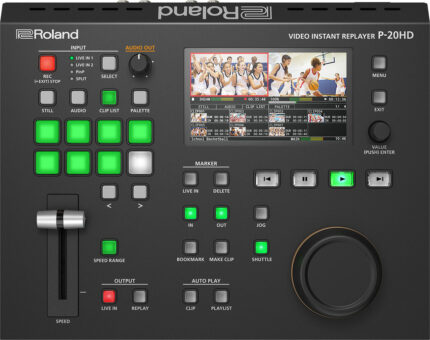
| Content | Until now, creating slow-motion instant replays in live sports productions has required an arsenal of complicated and expensive gear—and the knowledge to run it all. Roland’s P-20HD changes all that, providing an affordable and easy-to-use solution that lets you bring pro replay capabilities to any production setup. Offering seamless integration with most Roland A/V switchers and HDMI camcorders and cameras, the P-20HD transforms everyday sports video productions into edge-of-seat fan experiences.
With the P-20HD, adding the magic of instant replay to your workflow has never been more simple and affordable. Using intuitive controls and the integrated color LCD, you can easily cue up replays of important action to let fans relive the moment, either on your streaming feed or live event screens—or both at once.
The P-20HD records directly to high-capacity SD cards, which are widely available and easy to swap out. And as you cue up and replay clips, the game keeps recording in the background, with no gaps in the action. The P-20HD can be seamlessly inserted into a variety of workflows. Use it on its own, or upstream or downstream of any Roland video switcher. Connect two cameras and switch/composite between sources to capture them for replay. Both HDMI inputs feature built-in scalers, providing worry-free connectivity with nearly any video source.
Roland P-20HD Features
- Slow-motion instant replay and variable speed playback
- Intuitive controls for single-operator sports production
- Simultaneous recording and playback
- Clip playlist builder for creating highlight reels
- Integrated color LCD for preview monitoring
- Capture long events to low cost and widely available SD cards
- Compact, portable, and reliable hardware design
- Ideal for school sports, esports, and sports training
| The NOVAPRO HD is an advanced high performance LED display controller, video processor, and configuration device that supports multiple signal formats including DP / HDMI / VGA / DVI / CVBS / 3G-SDI, up to 1080p @60Hz input resolution, 165MHz pixel clock and 4G-Bit output bandwidths. NOVAPRO HD also includes DMX512 and GenLock interfaces, Ethernet ports for communication through standard TC/IP and USB control for cascading with additional NOVAPRO HD's. NOVAPRO HD is compatible with all of ADJ's current video products.
Controller Features
- No Computer or External Scaler Needed (standard rectangular layouts only)
- Up to 1080p @60Hz Input Resolution
- 165Mhz Pixel Clock / 4G-Bit Output Bandwidth
- Multiple Video Signal Format Support
- Cascade Multiple Units Together
- Rack Mountable Aluminum Enclosure (screws not included)
Controller Specs
CONTROL / CONNECTIONS
- (1) Input and (4) Output RJ45 EtherCON Ports
- USB, 5pin DMX, and GenLock In/Out Ports
- Audio Input: 1/8 inch connector
- Video Input: DP / HDMI / VGA / DVI / CVBS / 3G-SDI
- Locking IEC Power Input
SIZE / WEIGHT
- Length: 19.0" (483mm)
- Width: 15.3" (389mm)
- Height: 3.5" (88.2mm)
- Weight: 13.2 lbs. (6.0kg)
ELECTRICAL
- AC 85-265V - 50/60Hz - 0.65A
- Max Power Consumption: 30W
| Use the Blackmagic Design ATEM production switcher series to create stunning multi camera live production. ATEM switches between SD, HD, or Ultra HD video standards so your live production can use cameras, disk records, slide shows from computers, and more video sources. Features include chroma key, creative transitions, media pool, downstream keyers, audio mixer, multi view, and more. ATEM live production switchers support live production needs at live concerts, sporting events, theater productions, conferences, and more. The ATEM Camera Control panel can be added to any ATEM switcher model and is connected via Ethernet.
The ATEM Camera Control panel uses traditional broadcast style controls and adjustments in a compact design so one person can monitor and adjust technical parameters such as black levels, gain, color balance, shutter speed, and more. With this control panel, there are four separate LCD displays and control sections for control of up to four different URSA Broadcast, URSA Mini, Blackmagic Studio or Blackmagic Micro Studio cameras. Control layout is familiar and logical for fast and easy operation by operators of all levels. This control panel is meant to be portable, so does not need to be bolted down.
Quickly adapt to changes in the scene with the top section of controls. Top section controls include white balance, master gain, bars, and shutter speed. You can save and recall presets with the load scenes function. RGB controls in the center section allow you to adjust the individual red, green and blue levels in blacks and whites when you need to compensate for unwanted color. The bottom section is dedicated to lens and iris controls, a joystick to adjust iris and master black. There are buttons for talkback with the operator, panel lock, and a number indicator for preview and on air status.
Blackmagic Design ATEM Camera Control Panel Features
- Traditional broadcast style controls and adjustments
- Portable control panel
- Iris control
- Shutter speed
- White balance
- Master gain
- Pedestal
- RGB controls for white and black
| Power supply not included - requires IEC cable.
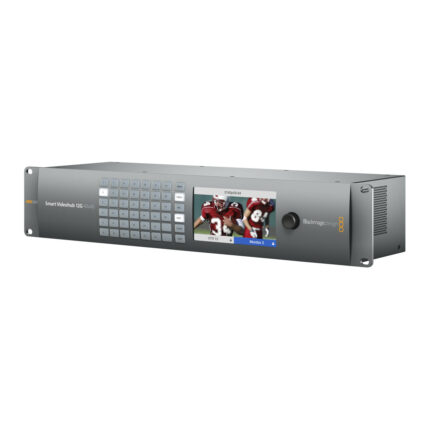
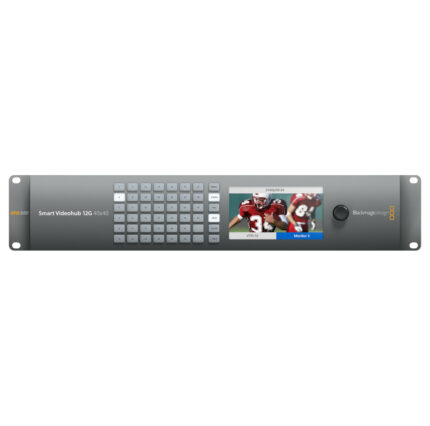
The Smart Videohub 12G 40x40 is the most advanced router of the Videohub series. It works in all SD, HD, and Ultra HD formats up to 2160p60. Offering a revolutionary routing process, the mixed format router has built-in video monitoring and spin knob router control.
You get an extremely convenient routing process with visual routing. Router connections are shown as video on the LCD screen while you spin the knob to select your routing. Built-in monitor also displays crosspoint connection labels and TV formats. Visual routing makes the routing process faster than ever.
Monitor all the live video connected to the Smart Videohub 12G 40x40 from the LCD screen. LCD supports video in nearly all TV formats, eliminating the need for a separate external monitor. Monitoring from the Videohub is helpful to confirm the correct video inputs are being sent to the correct video outputs.
12G-SDI connections run at twice the speed of 6G-SDI, supporting equipment that works with high frame rate Ultra HD 2160p60. At that high frame rate you can use the same 60 fps workflow from HD while getting the higher quality of Ultra HD. 12G-SDI also handles SD, HD, and Ultra HD formats easily. 6G-SDI is still supported, so you get the benefits of both technologies.
Multi format technology supports connecting compatible equipment to the router simultaneously. Seamlessly work in NTSC and PAL SD, 720, 1080HD, even 2160 Ultra HD at any frame rate and the router switches standards so inputs match.
Free software developer kit gives you the power to create your own custom router control. The included external software control lets you control the router via network on Mac and Windows. Hardware control panels are available with the Videohub Smart Control Pro and Videohub Master Control Pro (both sold separately). RS-422 protocol can also be used to control Videohub for router crosspoint switching.
Videohub 12G 40x40 Features
- 12G-SDI technology
- 40 inputs
- 40 outputs
- Spin knob control
- Work with SD, HD and Ultra HD formats simultaneously
- Visual routing
- Built-in LCD
- Includes external software control
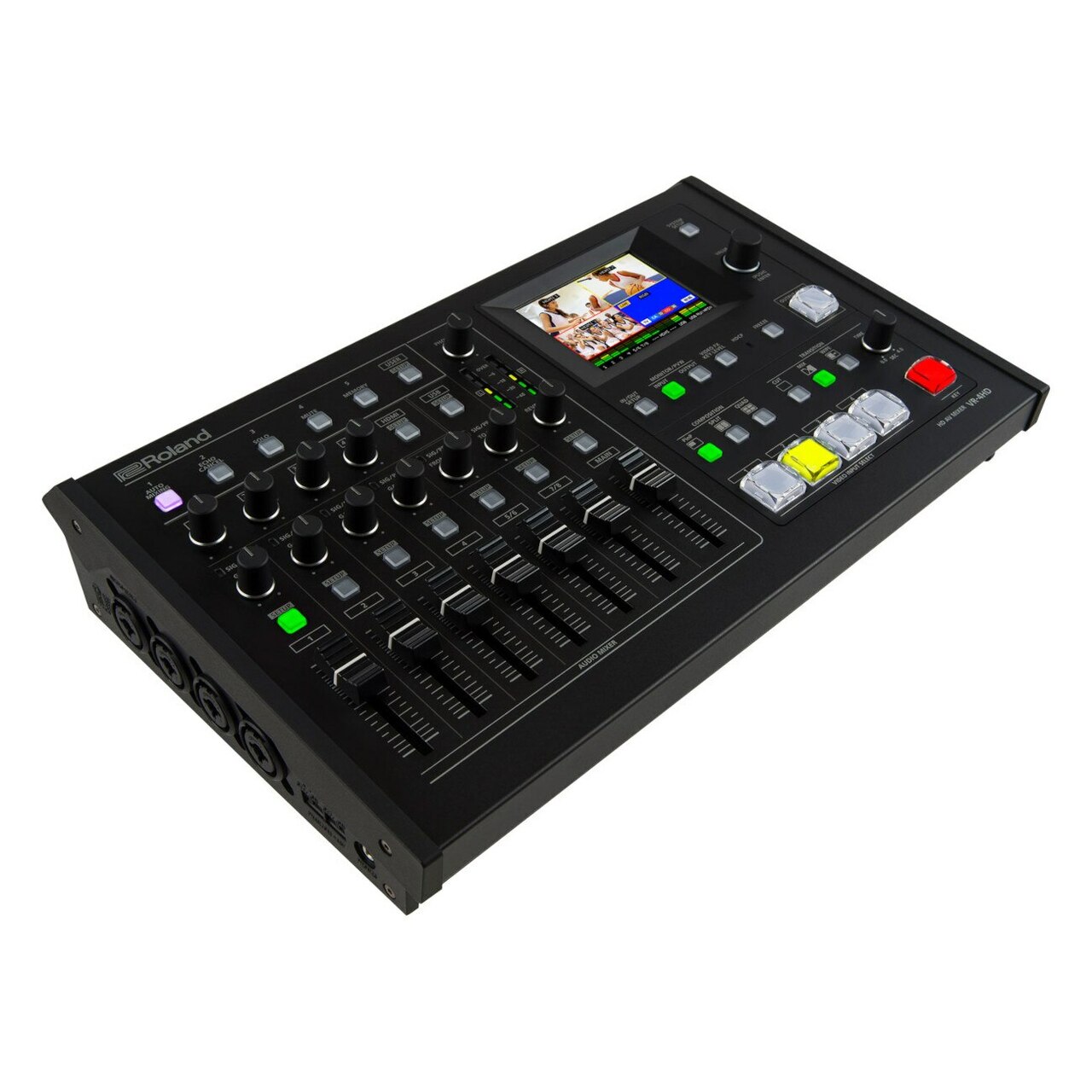
| The VR-4HD is a complete HD studio in a compact and portable package that replaces several different pieces of complex A/V equipment. Designed with individual operation in mind, the VR-4HD allows for easy video switching and mixing of audio and video using advanced Digital Signal Processing (DSP).
Along with dedicated hardware controls faders, buttons, and touch screen interface. It beautifully integrates a digital audio mixer, video switcher, multi-viewer touch screen, and USB video/audio streaming interface into a stand-alone device. This portable live HD production solution is ideal for schools, churches, council meetings, corporate events, sports, training sessions, or any other live event.
The VR-4HD features professional quality broadcast controls and switches ensuring more accurate and faster operation than interfaces based on a computer style mouse and keyboard. The ability to simultaneously switch video with the push of a button and adjust audio with the push of a fader is invaluable and puts all essential features at the operator's fingertips. The inherent multi-see screen is likewise a touch screen interface for getting to set-up boundaries, making it incredibly simple to alter various picture settings progressively by hauling the inset window onto the screen.
Roland VR-4HD Features
- All-in-one portable production solution
- Easy to use with dedicated hardware controls and audio faders and integrated touch screen preview monitor
- 6 input, 4-Channel Video Switcher
- Supports HDMI*1, RGB/Component, and Composite Video Inputs Up to 1080p
- Input 4's scaler now supports a wider range of video and VESA resolutions.*1 *2
- Built-in Scaler via CH4
- 18-Channel Digital Audio Mixer with XLR, TRS, and RCA jacks along with audio from HDMI inputs
- Embedding and de-embedding of audio with delay settings
- Auto mixing and Echo Canceling function
- Composition effects including DSK (Downstream Keyer), picture-in-picture etc.
- Capturing a still Image from Input Video on channel 4*3 [Ver.1.5]
- Built-in touch quad-input multi-viewer with audio metering
- External Multi-View Output through HDMI
- HDCP Support
- USB3.0 Video/Audio Output up to 1080/30p (uncompressed) and Audio Loopback Feature
- Software control using VR-4HD RCS application for Mac and PC and remote control via USB connection
- Sending a still image to the VR-4HD by VR-4HD RCS*3 [Ver.1.5]
- Tally, GPIO connections
| Blackmagic Design’s Ultimatte 12 goes beyond the power of even the most advanced keyers, also functioning as a high power real time compositing processor. Enjoy superb edge handling, color separation, color fidelity, spill suppression, and more. 12G-SDI technology supports work in HD and Ultra HD for real-time compositing of weather, sports, news, and entertainment in studio environments.
Incredibly life-like composites place your talent into any scene. Computer generated augmented reality objects provide realistic transparency and depth talent can walk behind, even with glass-style objects. The Ultimatte 12 works with fixed cameras and static backgrounds, or automated virtual set systems. On set previsualization is another plus, since actors and directors can see the virtual sets while shooting against a green screen.
Remove the background without affecting foreground colors. Advanced flare, edge and transition processing isolates and treats image sections differently while keeping color transitions smooth. High-level compositing keeps the final product photorealistic.
Green tinting and spill are no longer problematic thanks to the adjustments made to flare algorithms in the Ultimatte 12. Flare automatically samples colors to create seamless mattes for walls, floors, or other parts of your image. Shadows get mapped and composited onto the new background for a realistically three-dimensional view, spill is removed, and transparent objects are cleaned.
Advanced algorithms and large internal color space make it feel like you’re using several Ultimatte keyers on one image. For example, fine edge detail is a great feature for visuals of hair but is not something you would want applied to an entire image. Images are automatically processed based on the colors in each area, so fine edge detail is applied to just the hair portion.
Cameras at different angles see the same green screen slightly differently, which keyers in live production switchers aren’t designed to correct. Ultimatte 12 makes it possible to add keyers to every camera in a shot for the best possible key.
The Ultimatte 12 includes 7 input connections dedicated to compositing different elements together. 12G-SDI connections offer high frame rate Ultra HD from one BNC connection that can plug into your regular HD equipment. Connections let you work with SD, HD, 3G, 6G and 12G-SDI equipment, and in HD or Ultra HD formats up to 2160p60.
Blackmagic Design Ultimatte 12 Features
- Connect to SDI equipment in HD and Ultra HD
- Add augmented reality and virtual elements
- One touch keying
- Advanced image processing
- Expanded internal color space
- New math and sub pixel processing designed for high quality and clarity in HD and Ultra HD
- Incredible color fidelity
- Flare removes green tinting, spill, shadows, and reflections
- Ideal for broadcast news, sports, and traditional TV and film production
- 12 Month Limited Manufacturer's Warranty
|





Reviews
There are no reviews yet.